Blog

  • How to Write a Vision Statement

    How to Write a Vision Statement

    In this article I will explain how to write a vision statement. You want to write one of these for its practical purposes of communicating your vision, but also because it is great content to put on all of your social sites, website, brochures, and products.

    Two Main Components of a Vision Statement

    James Collins and Jerry Porras wrote an article in the Harvard Business Review about what should constitute a company vision. They assert that “A well-conceived vision consists of two major components: core ideology and envisioned future.”  The core ideology is that which never changes and consists of the values and purpose of the company, even 100 years from now. The envisioned future is the lofty, very aggressive and dreamy goal the company wishes to obtain in the next 20 to 30 years. Something that hasn’t been done before by you, your company, or even mankind. It truly is up to you, but it should inspire.

    Make Your Vision Statement Easy to Identify

    Many companies have mission statements that look like vision statements. Others have vision statements that don’t necessarily call them formally a “vision statement”, they just talk about what they want to do in the “About Us” section of their website. Other companies have a formal mission statement that is separate from a formal vision statement. The purpose of any statement is to communicate effectively. Therefore, I think it is essential to call your vision what it is – a Vision Statement. That way your employees, your customers, your investors, and your supporters can rally behind and easily find the company’s vision.

    Make it Easy to Understand

    The vision needs to be in layman’s terms so that the lowest ranking person in the organization can understand it. Napoleon, before he would give written orders, would have a corporal read the letter first to make sure it could be understood by all. The same principle applies to companies and organizations. Don’t use industry specific language that no one understands and don’t use big words you have to look up in a dictionary.

    Your Vision Should Short and Sweet

    You want people to read your vision statement. You want them to remember it. You want them to understand it. Clearly, in this case, less is more. 1-2 sentences is ideal.

    Vision Statement Examples

    Below are a few examples of some formally declared and not so formally declared vision statements of some prominent companies.

    Goodwill Industries

    “Every person has the opportunity to achieve his/her fullest potential and participate in and contribute to all aspects of life.”

    The core values here are implied – to empower people to contribute and reach their full potential. Yet, the vision is that Goodwill wants this for everyone, not just those within their organization or under their immediate influence.

    This may or may not be obtainable by one company, but it does a good job articulating a vision. This Vision Statement is clearly identified, easy to understand, and is short and sweet.

    Microsoft in 1975

    “A computer on every desktop and in every home”.

    A quick analysis of this vision today, as I write this article from my personal computer, brings me to say that this was a good vision statement. It had a lofty goal and here we are almost 40 years later in the age of mobile phones, wearable computing devices, and tablets. The desktop computer is all but obsolete with laptops and mobile devices now being the primary device in households. So Microsoft is finding itself having to update its vision statement. I would critique this statement by saying that it did lack some core values. It was all goal, yet no values. But this is better than all values, no goal. After all, a vision statement is looking toward the future, and Microsoft accomplished its vision. We just want to make sure we stand for something along the way.

    Microsoft in 2014

    “Global diversity and inclusion is an integral and inherent part of our culture, fueling our business growth while allowing us to attract, develop, and retain this best talent, to be more innovative in the products and services we develop, in the way we solve problems, and in the way we serve the needs of an increasingly global and diverse customer and partner base.”

    Microsoft had to update its vision statement from the Bill Gates days. Here we see a vision statement that is very long, less clear, and more values-based. They are talking about innovation, yet there is no innovative goal (like a computer on every desk). It is easy to say you are going to be innovative, it is another to have innovation. This vision statement I think is horrible. It is too much of the how and why, and not enough of the “what”. It is too long. It is not easy to understand. This is probably a reason why Microsoft has not been at the forefront of much in the last several years. Apple, Samsung, Amazon, and Google are overtaking them in the technology space. Without a good vision, a company will fail.

    Amazon

    “Our vision is to be Earth’s most customer centric company; to build a place where people can come to find and discover anything they might want to buy online.”

    This is an excellent vision statement. It is clearly identified as a vision – “our vision”. It has the core values of being the “Earth’s most customer centric company”, yet it has the lofty goal selling everything online that people may want to buy. Amazon is moving closer toward that goal. People can go on Amazon and buy virtually everything they could possibly want, minus a few niche or novelty items. This is a great vision statement, in my opinion.

    Macy’s

    “Macy’s, Inc. is a premier national omnichannel retailer with iconic brands that serve customers through outstanding stores and dynamic online sites. Both Macy’s and Bloomingdale’s are known worldwide, and each has its own unique identity and customer focus.”

    First thought that comes to mind – what the heck is an “onmichannel retailer”. Sure we can guess, but not being in the retail space this is a term that isn’t well known by many people. Wikipedia describes it as such: “Omni-Channel Retailing is the evolution of multi-channel retailing, but is concentrated more on a seamless approach to the consumer experience through all available shopping channels, i.e. mobile internet devices, computers, brick-and-mortar, television, radio, direct mail, catalog and so on.”

    So back to my original point. Macy’s should not use this type of language. They should dumb it down a little for the average person to understand.

    This vision is also too much of the how – it doesn’t include the what. It doesn’t really say what they want to be 30 years from now – the lofty dreamy goal. It almost seems like they are soft-balling their vision for fear of failure. They are already a global brand that is unique and known worldwide – mission accomplished. It is time to update it into something more visionary. They did do a good job communicating their core principles, however.

    Northrop Grumman

    “Our vision is to be the most trusted provider of systems and technologies that ensure the security and freedom of our nation and its allies. As the technology leader, we will define the future of defense—from undersea to outer space, and in cyberspace.

    We will —

    • Conduct ourselves with integrity and live our Company Values
    • Deliver superior program performance
    • Foster an internal environment of innovation, collaboration, and trust

    In so doing, Northrop Grumman will become our customers’ partner of choice, our industry’s employer of choice, and our shareholders’ investment of choice.”

    This vision statement is a little long, but it does communicate values and goals very nicely. Being a defense technology leader and ensuring the security and freedom of America is not small task – it is a worthy goal. Heck, they even talk about under the ocean, outer space, and cyberspace. This is some pretty lofty stuff – and sounds like they are doing a good job attaining it with all their national defense contracts. This is a good vision statement even if it is a little long. I would shorten it a little to 3 sentences, and move the rest to a values statement or some other statement.

    In Summary – Vision Statement Essentials

    In summary, writing a vision statement is not very hard. It is up to you. I leave you with the following points:

    • Keep it short – 1-2 sentences. Three if you really have to.
    • Include your core values that will never change, even 100 years from now after you are long gone.
    • Include your lofty goal to accomplish in the next 30 years. Something a little cooky, yet attainable if all the stars align.
    • Keep it simple for the average  person to understand.
    • Inspire… Need some inspiration, watch this video.

  • Hostgator Pop3 Email Settings for Gmail

    Hostgator Pop3 Email Settings for Gmail

    Many of our clients have to set up their Hostgator pop3 email settings in order to use their email. This is a quick “how to” to help you get it done.

    Setting up Outgoing Mail in Gmail

    First, we recommend downloading all pop3 to Gmail. To configure Gmail pop3, go to the top right corner of your Gmail and click on the maintenance wheel.  A drop down menu will show up, click on “settings”.  Once in settings, click on “accounts and import”.

    From there go to the “Sent mail as” section and click “Add another email address you own”. Put in your name and new email address provided by Grow To Win Marketing (for our clients). Make sure you deselect the “Treat as an alias” box.

    Add another email address you own Gmail

    It is up to you on the next step. You can choose to send mail through Gmail or through your own SMTP server.  If you choose your own SMTP server, you will have more control. If you choose Gmail, you will have the benefits of Gmail’s server. It is really a preference. For those who choose to use their own SMTP server, here are the settings to enter:

    SMTP Server: gator4092.hostgator.com (this may vary depending on your hostgator plan)

    Port: 465

    Select: “Secured connection using SSL”

    That is it. You are all set up on sending mail with your new address. However, you still need to be able to receive mail.

    Setting up Receiving Pop3 Mail in Gmail

    This section assumes the reader has read the first section above.

    Add a mail account you own Gmail

    Next, under “accounts and import” click on the “Add a POP3 mail account you own” link. Then type in your new email address – we provide it to you as a client. However, it is usually configured like this: yourfirstname@yourdomain.com.  When the next screen appears, fill it out with this information:

    Username: your email address

    Password: (provided separately)

    Pop server: gator4092.hostgator.com (this may vary depending on your hostgator plan)

    Port: 995

    Leave all boxes uncheck except “Always use a secure connection (SSL) when retrieving mail. You don’t want to check “leave a copy of retrieved message on the server” because it will back up your server with clutter.

    Gmail will attempt to send a message to that address, you just need to verify it and you will be all set.

    Using Hostgator Webmail

    To use webmail, go to https://www.yourdomain.com:2096/

    However, make sure the “s” is on the http or it won’t go through.  When you put that in your browser, we highly recommend you bookmark it for future reference. It is always good to have webmail available as a backup whenever you lose your phone or Gmail is down (which only happens every 10 years due to some fluke).

    This is probably not the site you are looking for hostgator webmail

    When you get to the webmail link, you will get some kind of certificate error.  Click “proceed anyway”. Login in the webmail with your credentials. Then click on any three of the webmail interfaces.

    Hostgator Webmail Login

    We use Horde but you can use the other two if you prefer. It really is just a preference on which you like more. When you get in, you can send and receive mail as needed. We don’t recommend using webmail unless Gmail is down.  Gmail is far more superior than webmail.

    Using Other Pop3 Software or Mail Clients

    As this is a free market of ideas, different people have different preferences. So if you don’t want to use our Gmail recommendation, that is ok too. Some people prefer to download to their iphone’s mail client. Other people want to have all their email on their desktop. Whatever works for you. Here are the settings in case you want to set those up. It is the same as above, but in a cleaner format for you.

    Username:  (provided separately)

    PW:  (provided separately)

    Incoming Server: gator4092.hostgator.com (if you are not a Grow to Win client, this will be different for you)

    Incoming Port:  995 SSL

    Outgoing Server:  gator4092.hostgator.com (if you are not a Grow to Win client, this will be different for you)

    Outgoing Port: 465 SSL

    We hope you enjoyed this tutorial. Please post your questions below if we left something out or if you need help.

  • Open Letter to Mark Zuckerberg on Facebook Profitability

    Open Letter to Mark Zuckerberg on Facebook Profitability

    Dear Mr. Mark Zuckerberg,

    First of all, we at Grow To Win Marketing, love Facebook.  It is the only place where we can go to communicate with our friends, coworkers, classmates, and acquaintances all at once.  It is also allows us to target our exact audience.  The targeting gets better and better every day.  While it may appear somewhat complicated and complex to use, those who understand how to use it are getting great results and return on investment.  Facebook is always improving, which is one of the main reasons I took the time to write this letter.  I think Facebook is open to suggestions and is always trying to innovate, so hopefully some of these suggestions are adopted. It will make our lives  a little easier and hopefully make Facebook even more profitable than it already is.  So without further ado, here are the suggestions:

    Allow Us to Save Post-Campaign Optimized Audiences

    Companies who are involved in Facebook marketing know that Facebook optimizes ad spend over time. The longer the campaign goes, the more efficient the spend becomes.  Facebook should allow us to clone and save that optimized audience.  Whatever Facebook is doing behind the scenes, whether it is showing the ad to middle-aged men in the evenings that like a certain page or whatever the metric is that the optimized campaign ends up with, we should have the ability to “save” that setting and give it a name.  This way, next time we launch a similar campaign, we can see if that optimized audience and campaign will be cheaper than if we started from scratch all over again.  Yes, we can extend the existing campaign, but sometimes you want to be able to change images and words without losing all of that optimization.  Businesses lose some efficiency restarting campaigns that should have been optimized from the beginning.

    Give Us a More Organized Way to Post in Addition to Chronologically (Timeline)

    Facebook should give us another format that is category-based with which to post updates.  It shouldn’t always be in a status/timeline format.  The current timeline format gives us the “post it and lose it” syndrome where some users may not like posting quality content because it won’t stay easily searchable forever like a blog post will.  It will get buried to the bottom of the newsfeed never to be seen again.  This is problematic because it encourages people to write blogs instead or post on Tumblr as to retain the quality content and make it easy to find.  Facebook should set up a tab on the profile that lets us organize our posts with labels and categories.  We should have the option to organize our posts in a blog-type format that enables better engagement and interaction.  Another idea is a forum-type format where people can engage each other based on a topic in a forum section instead of posting on a profile and losing the post the next day.  There has to be another way, other than chronologically, to allow us to organize and find our content.

    Dump Power Editor Now

    Get all functionality of Power Editor and have it go into the regular ad platform.  Power editor is brutal to work with and not very easy on the eyes.  I would say improve Power Editor, but why?  Just get rid of it and put all the functionality into the standard ad platform.  Too easy.

    Give us a Calculator on the Ad Platform

    Just like Quicken has a calculator that automatically pops up when calculating financials in their software, Facebook should do the same.  This will be more profitable for Facebook as I am often finding myself going to Google to use their calculator in order to calculate ad spend changes.  The way Facebook can fix this is when we click on a dollar input field, then we type a number, followed by an arithmetic symbol (+ -* /), an automatic calculator pops up and we would then do math within the ad platform itself.  This will keep us on the task of spending money with Facebook and will add great value to the platform.

    Give Us The Option to Set Campaign Budgets

    The new Facebook ad set capability that began this year has been very helpful.  Currently, the ad spends are done at the ad set level and not at the campaign level.  It would be helpful if we could set campaign budgets in lieu of ad set budgets (give us the option).

    Give Us the Option to Auto Optimize Campaigns

    With the advent of the Facebook ad set, the campaigns are no longer auto-optimized by CPC or CPM.  I am asking Facebook to give us an auto-optimize option for campaigns.  Everything would go the exact same initially – ad sets would get equal status.  As a certain percent of the ad set money is spent, the campaign makes a minor adjustment to favor one ad set over the other.  Then each day the campaign goes on, eventually only one or two ad sets will be in play and the others will be on hold.  This will save Facebook from having to flood the system with nonperforming ad sets, and will give more value to advertisers, thus increasing ROI.

    Let Us Choose By County in the Ad Platform

    At present, we can only choose by city and zip code at the local level.  Some counties have about 20 cities in it, making it difficult and time consuming to set up the ad.  It would be nice if we could choose by county.  A lot of businesses and political candidates operate at the county level.  It would be a lot easier to target by that size of a location.

    Provide More Search Engine Optimization (SEO) Help

    Facebook should give users help within the Google Search algorithm.  Currently, all of the content on Facebook is “no follow” (meaning they don’t pass any link juice to our web pages).  However, Facebook should give page owners the ability to “do follow” at a minimum our website link once we reach a certain amount of likes on our page.  This way Facebook can ensure the page is a quality page and also encourage the page owner to be active in order to get his/her likes up to a certain required number.  Additionally, if a post is quality and is going viral, Facebook should have the post become a “do follow” post.  This would encourage page owners to post relevant, quality content for users.  Currently, people are posting content elsewhere (blogs, for example), in order to get the “do follow” status of their links.  It is hurting Facebook because people have a need that Facebook isn’t providing.  Facebook would get a lot more content if this small change was implemented.  Right now, a lot of SEO-friendly posters are posting on Google Plus, because Google Plus provides some SEO value.  If Facebook competed with Google on the SEO-side, it would get more traffic from both Bing and Google and would take a larger market share of the content.

    Give us a 5-10% Facebook Cash Back Credit Card

    Facebook ad spends are done on credit card.  Facebook should give businesses the ability to have a Facebook credit card that gives us 5-10% cash back when spending money on Facebook.  Ad budgets are usually huge and credit card companies would line up to partner with Facebook on this.  The financial industry is a great industry for profitability.  Additionally, studies have shown that people spend more when they know they are getting good rewards on their spend.  Facebook stands to gain a lot of money finding a good credit card company with which to partner.  I suggest Chase or Capital One – they have the best and fastest rewards programs out there sending EFT or checks right away.  I will note that Amazon has a credit card with Chase, and people can spend their reward dollars right in the Amazon portal.

    Let Us Have Labels

    Give us color-coded labels that we can apply to anything on Facebook to help us organize better.  This idea came from Gmail and Microsoft Outlook, but my idea is actually better than those platforms.  For example, we should be able to color code all of our family members with a certain color (let’s say yellow).  If there are posts from our family members, the yellow square would show up next to their post.  We can click on that yellow square and that takes us to seeing only our family members’ posts.  When looking at our friends list, we should be able to drag and drop this yellow label on all of our family members seamlessly.  We would then pull up all albums or photos that include our family members we have identified.  When looking at comments on posts from our family members, there would be a yellow square next to their name.  When family members send us a PM, there would be a yellow square next to their message.  When family members invite us to events, those events would be color-coded with a yellow square on our events calendar.  This applies for business associates, close friends, acquaintances, or anyone else we feel like categorizing.  We would also be able to post to that category much like we can post to lists currently.  This would make our Facebook so much more organized and useful.

    Give us the Auto-Hash Tag Option

    Google+ posts an auto hash tag whenever you post content.  Facebook should let us enable that option on pages and profiles.  This will help Facebook organize the newsfeed better, it will help us get the main take away of a post from the very beginning, and will help us get more followers and traffic organically (as people will find us when they search that particular hash tag).

    Let us Bookmark Posts

    It is really hard to find a post after a few days go by.  You can’t remember which friend’s wall it was on, whether it was on a page, or whether it was in a group.  It is gone.  Facebook should have a button on each post that lets users bookmark the post.  It could easily bookmark in our browser or within an organic Facebook bookmark system.  This would help users retain quality content on Facebook.  Pinterest is a good example of why this is important.  Let us “pin” posts somewhere on our profile either privately or to our friends.

    Provide More Post Formatting Options

    At a minimum, allow users to bold, italicize, and underline content.  Text colors would be an added bonus, but I can see how this might conflict with some of the ads out there.  Give us more formatting options within our post.  You already allow us to have emoticons and such.  This would give more variety to the posts and would help break up the monotony.

    Give Pages an Easy Auto-Post Feature

    Set it up so that pages can auto-post on a predetermined schedule.  Therefore, in our admin panel we would select every weekday at 7 am and 3 pm.  So when we post, we can either post now or just hit “autopost”.  The autopost will automatically fill the post to hit at the time slot we determined.  This would save the hassle of having to click ten times to set up a scheduled post.

    Give Page Owners Analytics by Post

    At this time we have page analytics available to us.  But it would be nice to have demographic and interest information about people that are engaging on a particular post.  This would help us target an ad spend to promote that particular post.  It would provide more value to the advertiser, more value to the customer, and more value to Facebook overall.

    Help Us With Irrelevant Post Creep Prevention

    We have had posts go viral on Facebook.  One of them was an April Fools post that went on for something like 10 days in a row.  So long after April Fools was over, I was still getting comments.  Except some people thought my post was real because it was hitting their newsfeed long after April 1st.  This has happened several other times with other posts that were no longer relevant.  My suggestion is for Facebook to either establish an algorithm for posts that have gone on for more than 24 hours to have a higher scrutiny of being relevant, or for Facebook to give the user the ability to “turn off” a post if they no longer wish it to hit people’s newsfeeds. People would be able to leave the privacy status alone, but turn off newsfeed publication.  Something needs to be done about posts that are clearly no longer relevant.

    Give Us a Resume Function

    At this time, LinkedIn, Monster, and other job sites are where people go to find and be found for hiring.  But Facebook could capitalize on this market as well.  If Facebook added a resume feature to the about section of the Facebook profile and incorporated a resume-type search function to the Facebook search,  this would increase value for users.  Further, it would quickly take market share away from LinkedIn.  People will be able to search their friends list for jobs instead of reaching out to people they don’t know.  This will provide even more value to connecting with someone on Facebook.  Facebook could help fight unemployment and joblessness.  It would be a beautiful thing.

    Incorporate Facebook Alerts

    A lot of times our friends post about topics we want to know about, but we may miss the post.  We need the functionality to set up Facebook alerts much like Google Alerts.  For instance, if a user is a lawyer he may add “lawyer” as a keyword.  Facebook would send him an email, text, or notification anytime one of his friends posts about lawyers.  This would help people get more business from their friends and will help them connect in a more targeted manner.  If people love garage sales, they can get an alert for “garage sales”.  If someone likes baseball cards, they can set an alert for “baseball cards”.  If they are into politics, they can set an alert for their favorite issue or politician.  If they like a movie or book, same thing.  It is for whatever people care about and helps them stay on top of things better.

    Allow Us to Find the “Friends of Friends” Feature More Easily

    Friends of Friends posting selection used to be very readily available.  But now it is almost impossible to find on mobile and you have to make like three steps to get it to show up on desktop.  Friends of Friends is very useful because it is almost like making a post public, but not quite.  It gives the maximum exposure without surrendering your content to the public domain.  Friends of friends is really helpful and Facebook should bring that back.

    Give us a More Robust Search – A Facebook Search Portal?

    Facebook graph search is a great tool.  It does something that the others don’t do.  But it has its limits.  We can’t search posts.  What if Facebook had a page labeled http://search.facebook.com (for example) and it was one screen just like Google’s?  Except in the Facebook search, it incorporated all of Facebook’s posts and data.  Keep the page very simple.  Call it Facebook Search. It would directly compete with Google.  Let us have an advanced search option and make it more robust helping us find posts, comments, and keywords.  Let us check off certain things we want to find within our newsfeed, on our friends’ newsfeeds, and in the public domain.  Facebook currently only lets you search people and specific things about people. It is a great people search.  But very little content can be searched.  Facebook search needs more options – especially considering all of the data Facebook has at its disposal.

    In Summary

    Facebook is great. I am convinced it is helping the world connect at a cheaper and faster pace than ever before.  Advertisers are finding their niches easier, customers are seeing more relevant ads, and friends are keep up-to-date on the people they care about.  This experiment, Mr. Zuckerberg, is a huge success.  My ideas are just another way to improve an already awesome product.  The better we can make it, the faster people’s lives will improve.  People will be able to reach anyone they want for a fraction of the cost.  Competitors like Google, Amazon, Twitter, and LinkedIn will have to innovate even more to keep up with Facebook.

    Thank you and respectfully,

    Spence Rogers

    Grow To Win Marketing

    Tampa, FL


    Update – 10:34 am July, 3rd 2014

    This article was mentioned in several news publications.  Here are some of the links:

    Reuters

    Yahoo Finance

    Street Insider

    Digital Journal

    Global News Wire

    Morningstar

  • Samsung Chromebook Opening

    Samsung Chromebook Opening

    by Spence Rogers

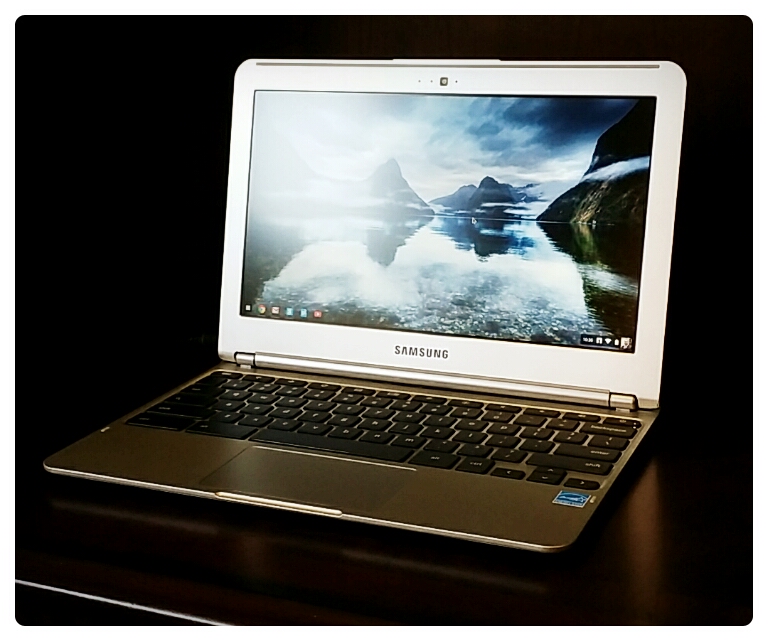
    We recently got in a Samsung Chromebook from Amazon.  So we decided to do a Samsung Chromebook opening here on our website.

    Google is becoming more and more prolific across multiple tech platforms and services.  They have their own operating systems (Android and Chrome), their own browser (Chrome), their own web-based email platform (Gmail), their own calendar (Google Calendar), their own contacts manager (Google Contacts), their own social media platform (Google+), their own video content manager (Youtube), their own cloud-based server (Google Drive), and the best search engine in the world.

    This is part of Google’s business model – to become self sufficient so that people use them as a one-stop-shop.  Because of this, they are trying to get people off of their local devices when it comes to storage, applications, and data and to move everyone into the cloud.  At first one would think this is terrible for privacy.  However, while privacy is being sacrificed, the efficiency gains of having all of your data backed up and integrated are probably worth it.  Your life will get a million times easier.  And, if you encrypt your important files and keep your super important files off of the web, you should be ok.

    This is where the Chromebook comes in.  It isn’t your typical device.  It is built for ease of use and affordability.  It only has a 16 GB hard drive, but has amazing integration with Google’s online services mentioned in the previous paragraph.  Because the hardware is limited, the Chromebook can be very lightweight, has a faster start up time, and doesn’t require a bunch of software upgrades and installations.  Everything you need is built into the Chrome operating system or is in the Cloud.  It takes about 2 days to get used to, but once you are using it you don’t want to go back.

    Here are the specs of this particular Chromebook model:

    Screen Size 11.6 inches
    Screen Resolution 1366 x 768
    Max Screen Resolution 1366 x 768 pixels
    Processor 1.7 GHz Exynos 5000 Series
    RAM 2 GB DDR3L SDRAM
    Memory Speed 1333.00
    Hard Drive 16 GB eMMC
    Graphics Coprocessor Integrated Graphics
    Wireless Type 802.11 a/b/g/n
    Number of USB 2.0 Ports 1
    Number of USB 3.0 Ports 1


    Brand Name Samsung
    Series Chromebook
    Item model number XE303C12-A01US
    Operating System Chrome
    Item Weight 2.4 pounds
    Item Dimensions L x W x H 11.40 x 8.09 x 0.69 inches
    Color Silver
    Processor Brand Samsung
    Processor Count 2
    Computer Memory Type DDR3 SDRAM
    Flash Memory Size 16
    Optical Drive Type No
    Audio-out Ports (#) 1
    Battery Type Lithium Polymer (LiPo)
    Batteries: 1 Lithium ion batteries required. (included)


    Below is the video of me opening my Chromebook.  Hope you like it.

  • How to Improve Productivity – Key Life Hacks To Save You Time

    How to Improve Productivity – Key Life Hacks To Save You Time

    by Spence Rogers

    With the invention of the internet, computers, and mobile devices, knowing how to improve productivity is an essential skill to know.  So below are some personal tips that I have found to be very helpful.

    Plan Ahead and Stick to the Plan

    Either the night before or in the morning, sit down and write out what you want to accomplish during the day.  At a minimum write down three tasks that you want to accomplish.  Each task should be able to be accomplished in less than 1 hour.  If you think the task its too big for 1 hour, then just put a sub-task down to help you with the overall task or put “1 hour of working on X”.  For example, if you are in marketing and building a website (which usually takes weeks), just write down a task like “identify the site layout” or “research similar sites”.  Those should take about an hour. Also include 3 back up tasks.  Overall you should have 3 main tasks that you will get done and 3 back up tasks. Of course there are other ways to plan, but I have found this to be very helpful.

    Stay Laser Focused

    Keep coming back to the tasks you want to get done.  If you get distracted, take a breather and then come back and focus.  Close out all the applications on your computer and turn off all the distractions.  Stay focused on your main tasks for the day.  If you finish your main tasks, start working on your back up tasks.  Keep the tasks in front of you on a 3×5 card so you don’t forget what you are working on.

    If you get Mojo – Take Advantage of It!

    Often when writing, reading, working on a project, or even working out in the gym – sometimes you have your mojo and sometimes you don’t.  Sometimes you can write for hours or work out for hours and sometimes you are dog tired and can’t get anything done.  So when you have these bursts of creativity, energy, and motivation – ride them all the way through.  Instead of writing 1 article or 1 chapter, write 3 or 4.  Instead of working out for 30 minutes, work out for 2 hours.  You know what your weaknesses are.  So if you can accomplish a lot of something you don’t always have mojo for, take advantage of it.

    Batching is Key

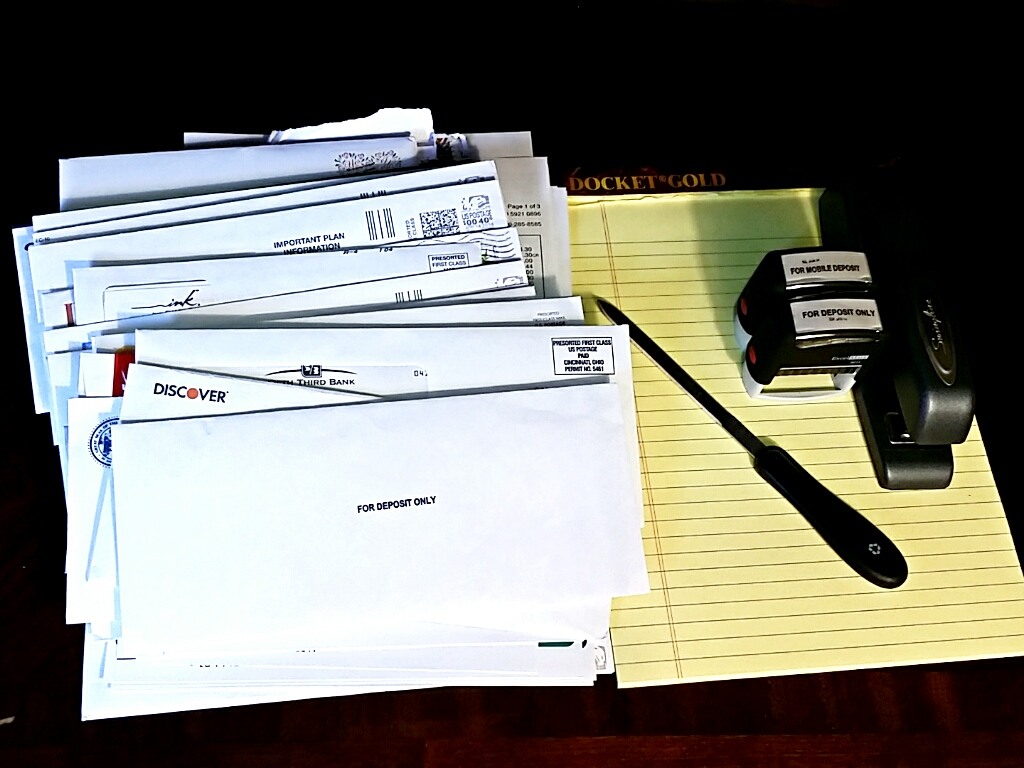
    If you are like me you have multiple different things tugging at you.  And if you run a marketing company like I do, you have multiple clients.  So I have to be highly efficient with my time in order to accomplish the tasks that are needed.  So what I do is instead of doing multiple tasks from multiple topics, clients, and requirements, I pick ONE topic for an entire morning or afternoon and focus only on that topic.  A good example is Search Engine Optimization (SEO).  I will do a ton of SEO all morning or a ton of SEO all afternoon for my company and my clients.  My brain is thinking SEO – I don’t want to switch gears to email marketing or social media marketing.  I want my SEO brain on and I ride the wave for all of my SEO requirements.  Same thing with bills – I do all my bills in one afternoon on a weekly or biweekly basis instead of opening bills every day and processing them.  There is a lot that goes into bills, so I get my letter opener, my scanner, my stamps, and anything else I need and I JUST DO BILLS.  I can’t tell you how much batching has helped me and it will help you too.

    Automate Whenever Possible

    There are many tasks that you can put on auto pilot.  Some people use E bills or auto pay.  This will save you time.  If there is an auto-responder email that will help you, use that.  If there is a mobile app that automates something for you, use that.  You can automate your computer backup or you can backup your photos from your phone to the cloud automatically.  Email providers have filters that help organize your emails which are also really helpful.  Get rubber stamps for things you write or type a lot – for example – your address or “for deposit only”.  Different people write different things, but you can get a cheap $5 stamp from any discount stamp store and it will more than make up for the time it takes you to write out all that info on every letter, check, or envelope.

    Keep Good Records for the Important Stuff

    Often you will need various information over and over again in your life.  Passport number, passwords, birthdays for close family and friends, drivers license number, important addresses, voter ID number, and about 20-30 other data points that are useful.  So if you keep these pieces of information in an organized fashion or on an encrypted & password protected document then you will be able to save yourself some time during job applications, insurance applications, buying a home, lawsuits, school registration, or whatever else may come your way in life as far as paperwork is concerned.

    Digitize your Records

    Being organized is a commodity.  So is having space in your office.  I can’t stress enough how getting a quality scanner (Snansnap makes a good one) and scanning your documents can help.  First of all you will keep more information than if you kept paper copies.  It is a lot easier to create a digital folder than to create a manila folder with a label.  It is a lot easier to search digital records.  It is even easier to share certain documents with family and friends via email or a secure cloud server.  In times past, people used to destroy bills that were 5 years old.  But now you can digitize them and keep them in a nice little folder called “2009”.  Date the file name and put a good description on the file and you are all set.  Shred all documents that are not highly important (a lien, a title, a birth certificate, etc. I consider highly important).  Still scan the highly important documents, but then save them in a safe place.  But the bills – you can send those to the shredder once you have processed it and scanned it.  Shredding is a lot of fun too.  One more quick tip – make sure you oil your shredder or it will die on you.

    Give Yourself a Deadline and Communicate that Deadline

    So if you have a task that is due at an unknown time in the future, calculate how many days it will take you and then add a day or two then put it down on your task list or calendar.  Only do this for important tasks and not the small stuff (like take out the trash – that is small).  But if you are doing something for a client or for a major event coming up like a wedding, put that task down.  And if others are waiting on you to finish that task, make sure you communicate when you plan to have it done by.  This will help them with the expectations and it will help you so that you now know you need to get it done.  And if you are going to be late, communicate that too.  Over-communicate deadlines or people will think you are flaky.  I always try to set expectations and then do my best to beat my deadline.  This is a very helpful way of staying focused.

    Segment Your Lists

    In the age of internet we all have Facebook friends, email contacts, Google+ Circles, Linked In connections, Twitter Followers, and the list goes on and on.  Some people you know from business, others you know as friends, others you may have added and you don’t know anything about them.  So it is important to find the main types of people in your list of connections.  So let’s say those main people are (as an example): Friends (people you actually hang out with), Family, Business Associates, and Classmates.  So you want to take the additional time and create labels and lists of these people in your Facebook, email, and every other platform.  Even Twitter allows lists.  And the reason you do this is because when you are in a bind or a pinch, you can quickly access the people who are important to you.  Did you know that you can invite entire lists of people to an event in Google Calendar?  Did you know that Facebook also lets you do this?  Or in Gmail, that same group of people that you added to an event can then be emailed as a group? This is important and the benefits are obvious.  So you can’t do this for every type of contact you have on every single platform because it would take a lot of time, but you can do this on the top 3 sites (email, Facebook, and Twitter – for example) with your top three groups.  That is a good place to start and it will save you tons of time later – trust me.

    Identify What Your Time is Worth Then Farm Out and Sub Out

    The question I ask people often is – what is your time worth?  And most people don’t know.  So you have to sit down and realize what that is.  Some people it is $10 an hour.  Some people it is $20 an hour.  An accountant or lawyer it might be $300 an hour.  For public officials who are on the speaking circuit, it may be $20,000 an hour.  So you have to determine what your time is worth based on your salary or hourly wage.

    For this example lets say your time is worth $20 an hour.  So if there are tasks you know will take you 3 hours to do, then the opportunity cost (what you would make if you were doing your job or working on your business) would be 3x$20=$60.  So if it takes you 3 hours to mow the lawn ($60), but some guy is willing to mow it for $20, then you are being more efficient with your time by paying someone to do it.  Use those extra 3 hours you have now gained to be more productive:  Figure out a good investment or some other productivity hack that can help your bottom line; Cut household or business costs;  Cancel an expensive recurring bill for a bulk purchase;  Use your time to make your life better.

    The more you can farm out and sub out the better you will be as long as the opportunity cost of you doing it is more expensive than what you are paying someone else to do it.

    One other point is some time is does not have a price tag – time with your children or spouse – is a good example.  So in that case, if you aren’t able to spend time on doing the important stuff, all the more reason to farm out some of your tasks to someone else.

    Call in the Car, Email at the Desk

    Many people like to make calls at the desk.  I strongly caution against this if you do a lot of driving.  It is more efficient to email 5-10 people than to call one person.  Now sometimes you need to be at the desk to take notes and in those cases sure.  But if you are just calling to catch up with a client or you are calling about something that doesn’t need a lot of thought, then do it in the car on your way to wherever you are driving to.  If you are in the car, think of people you could reach out to and call them.  Why not?  You are driving anyway…  It is unsafe to text in the car and red lights are really not that long so it is way better to call.  And it is that personal touch of calling that often solidifies a relationship.

    Double Up Tasks Whenever Possible

    Think about ways to double up your time when you are doing routine tasks to add value to what you are doing..  For example, most people eat out.  We all get gas.  We all have to go to the store.  Why not get on Yelp or Foursquare and check in to those places?  That will give you a much better Yelp or Foursquare profile so when you rate places you carry more weight – your profile has more credibility when you do more check ins.  So if you eat out and a place is really good, you can rate it 5 stars and vice versa, if a place really burns you and they are off-the-wall bad, you can rate them with a low rating.  This gives you power and gives you a say in life.  When you have more of a say you are more valuable – it opens up more doors.  But all of this can be done while you are waiting in line or waiting on your check.  There are tons of examples of where you can double up your tasks without reducing efficiency.  If you are lying down at the beach, listen to an E-book.  Or a lot of people listen to E-books in the car when they go on road trips.

    Get More Time

    Need more time?  Go to bed earlier instead of staying up all night watching that show that you really don’t want to watch.  Then get up earlier and use that time to get things done.  So instead of staying up until 11:30 pm and then go to work at 7 am, go to bed at 10:00 pm and get up at 5:30 am and knock out some tasks.  People are more energized in the morning anyway, so take advantage of the mornings and cut off some time at night.

    Overall, being efficient enables you to do more.  We are on this earth but a short time and the more we can do with our time the better we will be.  If you think of any other ideas, please post them below.  I am always wanting to learn more about how to be productive.

  • 3 Facebook News Feed Changes You Need to Know

    3 Facebook News Feed Changes You Need to Know

    by Spence Rogers

    Usually when there are Facebook News Feed changes, people get up in arms. Sometimes page owners get upset because their posts are not being seen by as many people as before and users get upset because pages they like are not showing up. But with these changes, I think most people will be happy and it will be a better Facebook News Feed overall.

    Before going into the changes, it is important to talk about why these changes occur.  Facebook’s main job is to provide value to the user, otherwise users will leave for another platform (Twitter, Google+, LinkedIn, etc.).  Facebook makes these changes based on data that users submit to Facebook stating they like or don’t like something.  So if a horrible post shows up in a newsfeed and 90% of the feedback is negative – Facebook starts looking for trends – ways to improve so people find more value.  Then after some studies and some beta testing, they announce changes platform wide.

    So with that in mind, these are the changes that occurred last week and how page managers should change their posting habits.

    Don’t Ask for Likes, Shares, and Comments

    Facebook has mentioned this before and has tried to address this before.  Pages that post content and then say “LIKE, SHARE, COMMENT!” or “Like if you agree” and other variations are problematic for Facebook because these stories end up being 15% less relevant than other stories that are displayed as prominently but are not asking for fans like, share, or comment.  Most marketers like me probably don’t like this change because we are so used to the “call for action” – asking our customers to take the next step of what we are trying to accomplish.  However, I agree with Facebook that this is spammy and it is better to just have great content that people want to share on their own.

    Don’t Steal Viral Images and Videos

    Yep.  We all know who these guys are.  They take an image that is already going viral from a different page and upload it to their own page so that their page gets the credit (publicity, likes, and engagement) instead of the original page.  This is actually really smart to do if you don’t have the money or the time to create your own content.  But Facebook is cracking down and it is probably for the better.  As a side note, one way to prevent your images from being stolen is to put your logo on them or your Facebook page name.  That way if they do get stolen, you can at least get the publicity.  One way to prevent your videos from being stolen is to upload them to a Youtube channel instead of directly to Facebook and include your logo on the video.  Nonetheless, Facebook’s facial recognition and image recognition software is probably going to contribute to this new change and help Facebook prevent the reposting of original content.  This only motivates people to come up with even more original content which will again clean up the news feed a little more.

    Don’t Post Spammy Links With Fake Titles

    This is a “no brainer”.  Most people don’t do this anyway as it hurts your brand.  But there are still some bad apples who have done this.  They make a title that says “This is the most Amazing Secret to Making Money Today” and then when you click on it the page is nothing but advertisements and doesn’t say anything about how to make money.  Well, Facebook has said “no more” and early tests have shown a 5% increase in link clicking Facebook-wide, which is great news for legitimate page owners.  This is a really good change and I am sure most are very glad to have this implemented.

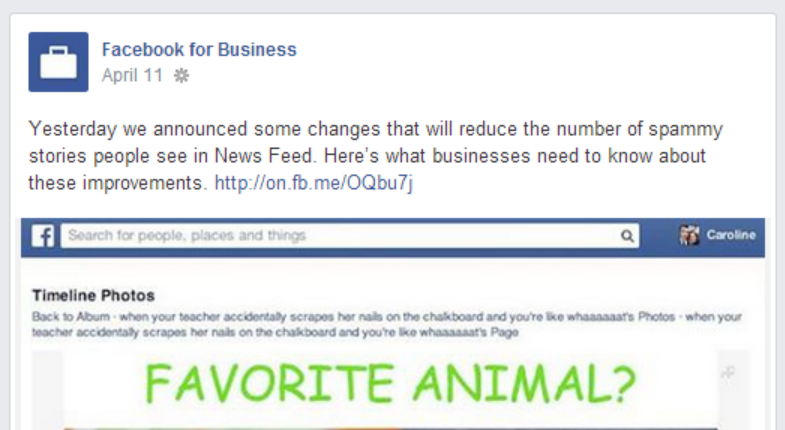
    You can read the official announcement about these changes here.

  • Rick Scott Twitter Vs. Charlie Crist Twitter

    Rick Scott Twitter Vs. Charlie Crist Twitter

    by Spence Rogers

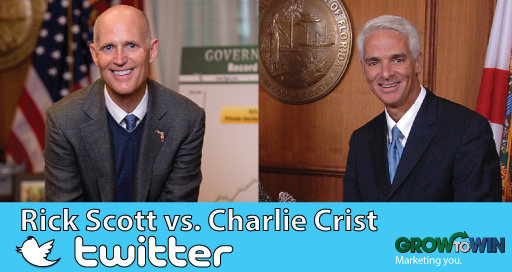
    I thought it would be fun to write a “Rick Scott Twitter vs. Charlie Crist Twitter” article.  If the Florida governor’s election were held today strictly using Twitter, who would be the victor?  Social media is very important and is an indicator of how many votes you can get and how many volunteers you can mobilize.  Twitter is very news and politics related and is less social than Facebook.  When people are on Twitter, they expect to see news and politics as a main part of the feed.

    So who is the winner?  Let us analyze how many followers they have, how many tweets they tweeted, how many times they retweeted a follower, who has the most retweeted tweet, who has the most Spanish tweets, who asked the most questions, who has the most favorited tweet, who had the most replied to tweet, and who has a header image (which allows a chance to brand your message).  We analyzed Rick Scott’s Twitter and Charlie Crist’s Twitter posts from April 3rd – April 10th at 6 pm ET.  Below is a summary of our findings:

    Rick Scott Twitter vs Charlie Crist Twitter

    Rick Scott Wins On Sheer Volume

    Overall, with 45,900 Twitter followers and 21 posts in the last 7 days he overwhelms Charlie Crist.  Rick Scott has almost 3 times the Twitter followers than his rival. At about $1.50 apiece (the average price of a Twitter follower), Charlie Crist would have to spend  almost $49,000 to catch up to Rick Scott.  This is no small amount of money.

    Charlie Crist Wins on Engagement

    Even though Charlie Crist has posted less and has way fewer followers, it seems that his followers are more energized.  His most viral post had 99 retweets whereas Rick Scott’s only had 19 retweets.  Charlie Crist also asks a lot more questions and retweets his followers which encourages them to engage.  This has helped Charlie Crist to have more favorited and replied to tweets.  Rick Scott does do a good job posting images and does do better than Charlie Crist in that department.  Rick Scott also posted 2 tweets in Spanish, which picked up a little more engagement.

    Rick Scott Wins

    Even though engagement and tweet strategy is very critical, and it does appear Charlie Crist has more in that department, there is nothing that can be done to surpass a Rick Scott’s following that is thrice the size of Charlie Crist.  All Rick Scott has to do is retweet a little more of his followers, especially the amplifiers (people with their own following), Rick Scott should update his header photo (which seems to be missing), and Rick Scott should ask more questions to encourage engagement.  If Rick Scott attacked Charlie Crist a little more on there, he might energize his base a little as well (which is what Charlie Crist did to get 99 retweets).  But Charlie Crist needs to buy Twitter followers.  And in a race where every dollar matters, that is easier said than done, especially if there is a Facebook deficit as well.

  • Facebook Business Page Dos and Don’ts

    Facebook Business Page Dos and Don’ts

    by Spence Rogers

    Having a Facebook business page is very important, but if you fail to do it properly, you could do more harm than good for your business. By following these dos and don’ts, you can ensure your business thrives on Facebook and creates a growing and engaged following. Here are the Facebook Business Page Dos and Don’ts to remember:

    Facebook Business Page Dos

    Do Create a Facebook Business Page

    First of all, do create a Facebook page for your business. You want to get your name out there, and you need a Facebook page to do that. Remember, 1.2 billion people are on Facebook, 800 million log on every week, and that is a lot of potential customers.

    Pay Attention to your Insights

    Facebook Insights provides you with the ability to see who is logging on, who is leaving and what posts people like. Pay attention to it.

    Optimize your Photos

    Image optimization is important because it draws people in. Optimize your photos to get noticed.  Facebook has different size requirements for photos and you should maximize your exposure by making your photos as large as possible within the limits.

    Personalize your Posts

    Let your followers know you are a real person.  Host Q&As.  Mention your name and your opinion.  Thank people and engage with them.  You need to talk to the fans of your page and be engaging. That will make them feel more important, and that will give you more repeat business.

    Claim your Vanity URL

    Once you hit 25 likes, you can have a Facebook vanity URL. Use it because Facebook.com/CompanyName is better than Facebook.com/profile.php?id=183831

    Post with Strategy in Mind

    Don’t just post without thinking. Have a strategy so that you can take advantage of holiday sales for customers, big events and more. You want to be engaged and dynamic, but plan ahead to make the most of it.

    Give your Followers Perks to Drive Traffic

    With your Facebook business page, do take advantage of providing your customers with deals and offers that send them to your website.

    Run Facebook Ads

    Big brands are doing it.  It is an easy way to get exposure to your exact target audience.  You should take advantage of Facebook ads for your Facebook business page. Facebook ads are cheap ($1 a day) and you can create ads that are fine tuned to only go to a certain sector of people. Facebook ads have a much more affordable cost per click or cost per million impressions than traditional banner advertisements.

    Write about Current Relevant Content

    Stay relevant with your posts, so do put up topical updates that deal with real world events at that time.  You can check trending issues on Google trends, Twitter trending, and even Facebook trending.

    Ask Questions

    Ask questions to get discussions started on your Facebook business page because, as has been said over and over, engagement is key on the page.

    Keep the Trolls

    Look at trolls as a blessing.  They help your engagement.  Do keep the trolls on there if you can, unless of course they get out of hand.  Usually a troll will then cause others to respond to him/her.  This then drives up your post engagement score in Facebook’s news feed algorithm.  They think they are hurting you, but really they are helping you.

    Do vary your Post Types

    Post photos, texts, questions, videos, and articles to vary your engagement.  Different people like different things.

    Do Post Often

    People would think that posting often hurts a brand.  However, the way Facebook’s algorithm is set up, it is better to post multiple times throughout the day because not everyone sees all your posts.  Posting hourly is ideal if you can manage it.  Also post on weekends, when content is lacking.  You will find that your overall engagement will be higher the more you post.

    Facebook Business Page Don’ts

    Don’t Auto Post

    Don’t run a bot that auto-posts random content from some website.  This often causes people to feel like a person is not there, and they will not engage with your post.  If you have to use a bot to streamline, make it clear you are a participant on the page by reply to a few comments in a timely manner.

    Don’t Post Off Topic

    It is important to target your audience.  So if you are a sports team, don’t post about shopping.  Or if you are a political page, don’t post about sports.  However, some topics are universal and can be posted by most pages – birthdays, events, weather, etc.  So you have to ask yourself if the person reading this will think it is relevant.

    Don’t Spam

    People are turned off by sales pitches and spammy posts.  If you have to sell something, do it on your website.  That is where people expect to be sold to.  So drive people to your website with GREAT content (an article, a video, or something similar).  People only want great content on Facebook.  So ask yourself if it is spammy before you post.  Spamming will drive down your engagement and hurt your view rate in the Facebook algorithm.

    Don’t Forget to Respond

    When a customer sends you a message or writes on your wall asking a question, don’t ignore them. Even if it is negative, respond to them and resolve the situation.

    Don’t Delete or Ban Users

    If people are trolling your website, don’t attack them or ban them.  Try to resolve the situation privately by sending them a message or by responding to them publicly.  Ask them to email you so you can resolve it.  This says to other people that you care and aren’t afraid of criticism.  If you ban the user or delete comments, it will create a negative effect.  Google the “Barbara Streisand effect”.  It is a phrase were when you delete or try to erase something people are passionate about, they just scream it louder and louder on other websites, forums, and reviews.  Sometimes people need to be banned (constant cursing, posting inappropriate content, etc), but only after all other steps have been exhausted.

    Don’t Post Multiple Posts at the same Time

    Don’t Post multiple items at once.  Many people only go on Facebook once and then share about 3-10 different articles.  Unfortunately, this hurts your engagement in Facebook’s algorithm.  If you only get on once a day or twice a day, it is better to share posts using Facebook’s schedule option.  Try to space your posts out about an hour apart.

    Don’t Post on the Hour

    When scheduling your posts, most people post on the hour.  This is because it is easier for people to schedule it on the hour (3 pm, 4 pm etc).  Instead, post at 3:15 or 3:45.  This will help you beat the competition by not having to compete with everyone else.

    Don’t Buy Likes Outside of Facebook’s Ad Software

    Facebook can tell when people are scheming and not using their ad software.  Most of the like schemes out there produce fake followers and low-quality followers.  If Facebook finds out that this is happening, they can shut down your page because it is against Facebook’s terms and conditions.  Instead, use Facebook’s organic/internal advertising platform.  Likes are cheap enough if you do it right.

  • Great Facebook SEO Tips You Will Want To Know

    Great Facebook SEO Tips You Will Want To Know

    by Spence Rogers

    We want to give you these Facebook SEO tips because Facebook has changed the marketing game completely. Today, companies are doing everything they can to have a presence on Facebook. Through Facebook, it is possibly to be highly engaged with consumers, offering them advice, tips, promotions and more. Some of the best brands out there know how to make Facebook work for them, providing free advertising to millions of people. With 1.2 billion people on Facebook, it should come as no surprise that for a company to market itself properly, it needs to get on the social media bandwagon. 

    Here are five essential Facebook SEO tips.

    1.  SEO your Facebook Page Title

    If you are looking at the key places for Facebook SEO, you need to know how your page is indexed. First, you have the SEO title, which is the title of your page on Facebook. You want to pick this title carefully because once you have over 100 followers, you cannot change it again.  Next, you have your meta description, which is your fan page name and the about section of the page.  That is the description that comes up under your title in the Google search results.

    2.  Keyword Optimize Your About Page

    When someone does a search within Facebook, it not only brings up personal profile, but company pages and groups. This is why it is important to have the right keywords in your About page on Facebook. That will draw more people in as the use of internal search on Facebook increases.

    3.  Keyword Optimize Your Posts

    When you post an external link from your website or blog to Facebook, or when you post a status update, you need to SEO (search engine optimize), especially the title tag line. So your article should have the key words in the description which will tell search engines that your Facebook page has relevant content to your website.  Google indexes Facebook page posts and comments.  To test this, type in “site:facebook.com inurl/posts/” followed by a keyword or something you are interested in.  You will be amazed at how many posts Google indexes.

    4.  Use the Facebook Vanity URL

    Take full advantage of a vanity URL from Facebook. This is an important part of Facebook SEO because once you hit 25 likes, you can create a unique URL for your page. The URL is an important aspect of any search in Facebook, so you want to get the right name and message across in only a couple words.  It is also searchable in Google, Bing, and other search engines and carries a significant amount of weight.

    5. Link to Your Facebook Page from other Sites

    Your website and your other social sites should link back to your company Facebook page.  This way you send “link juice” to your Facebook page.  So your Facebook page then gets more relevance in the search results.  Ideally you want your Facebook page to appear right under your actual website, to help you get more followers.

  • 5 Helpful Google+ Search Engine Optimization Tips

    5 Helpful Google+ Search Engine Optimization Tips

    by Spence Rogers

    Google created Google+ with search engine optimization in mind.  That is why it is important for us to provide helpful Google+ search engine optimization tips. The social juggernaut will eventually dominate all search engine results above all other social media platforms. With the advent of Google+, the SEO techniques for webmasters changed very quickly.  Although standard on page website SEO is a very powerful platform to help your search engine ranking and SEO dreams, optimizing your Google+ page is necessary to unleash your website’s full potential.

    Google+ is much more than a social media page that you build upon to connect with people and interests.  A Google+ page is a massive platform to help you make your presence known.  To optimize a Google+ page all you have to do is keep certain details in mind and you will have a very optimized page that shows up in the search engines and in Google+’s own people search. Here are a few initial tips that will help you with your page performance.

    1.  Complete your profile:

    The most important aspect of any Google+ page when it comes to search optimization is the completion of all the personal as well as professional credentials regarding the page. An incomplete profile does more harm than good and will not be given the credibility in Google’s algorithm that more complete pages receive.

    2.  Optimize the title tag:

    Title tag optimization plays a pivotal role in helping your post rank well in Google search. A good Google+ title can take your post a long way and fetch you amazing results.

    3.  Set up authorship:

    Visuals do matter, and in this case, they can be game changers for your page. Choosing an author picture can add some valuable points to your table and help your page push through. Your posts can help you steal traffic from your competitor up the ladder if you have a catchy display picture and successfully implemented the author tag.

    4. Link it directly to your page:

    Connecting your Google+ page directly to your website definitely adds to your SEO rankings. This can be done using a simple piece of code in your webpage and you are ready to go.

    5. Get followers and +1’s:

    It is always about the numbers and in this case the higher the number of your followers the better you perform on the SEO table. +1’s also play a pivotal role in moving you up the charts.

    Optimize your Google+ Search Engine Optimization and buckle up for the ride to the top of the list.