by Spence Rogers
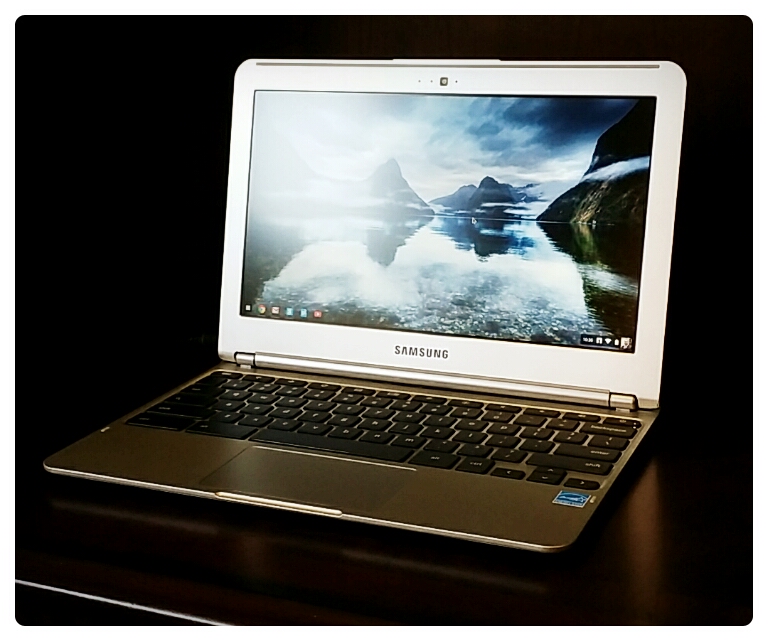
We recently got in a Samsung Chromebook from Amazon. So we decided to do a Samsung Chromebook opening here on our website.
Google is becoming more and more prolific across multiple tech platforms and services. They have their own operating systems (Android and Chrome), their own browser (Chrome), their own web-based email platform (Gmail), their own calendar (Google Calendar), their own contacts manager (Google Contacts), their own social media platform (Google+), their own video content manager (Youtube), their own cloud-based server (Google Drive), and the best search engine in the world.
This is part of Google’s business model – to become self sufficient so that people use them as a one-stop-shop. Because of this, they are trying to get people off of their local devices when it comes to storage, applications, and data and to move everyone into the cloud. At first one would think this is terrible for privacy. However, while privacy is being sacrificed, the efficiency gains of having all of your data backed up and integrated are probably worth it. Your life will get a million times easier. And, if you encrypt your important files and keep your super important files off of the web, you should be ok.
This is where the Chromebook comes in. It isn’t your typical device. It is built for ease of use and affordability. It only has a 16 GB hard drive, but has amazing integration with Google’s online services mentioned in the previous paragraph. Because the hardware is limited, the Chromebook can be very lightweight, has a faster start up time, and doesn’t require a bunch of software upgrades and installations. Everything you need is built into the Chrome operating system or is in the Cloud. It takes about 2 days to get used to, but once you are using it you don’t want to go back.
Here are the specs of this particular Chromebook model:
| Screen Size | 11.6 inches |
| Screen Resolution | 1366 x 768 |
| Max Screen Resolution | 1366 x 768 pixels |
| Processor | 1.7 GHz Exynos 5000 Series |
| RAM | 2 GB DDR3L SDRAM |
| Memory Speed | 1333.00 |
| Hard Drive | 16 GB eMMC |
| Graphics Coprocessor | Integrated Graphics |
| Wireless Type | 802.11 a/b/g/n |
| Number of USB 2.0 Ports | 1 |
| Number of USB 3.0 Ports | 1 |
| Brand Name | Samsung |
| Series | Chromebook |
| Item model number | XE303C12-A01US |
| Operating System | Chrome |
| Item Weight | 2.4 pounds |
| Item Dimensions L x W x H | 11.40 x 8.09 x 0.69 inches |
| Color | Silver |
| Processor Brand | Samsung |
| Processor Count | 2 |
| Computer Memory Type | DDR3 SDRAM |
| Flash Memory Size | 16 |
| Optical Drive Type | No |
| Audio-out Ports (#) | 1 |
| Battery Type | Lithium Polymer (LiPo) |
| Batteries: | 1 Lithium ion batteries required. (included) |
Below is the video of me opening my Chromebook. Hope you like it.
Leave a Reply