Tag: Facebook

  • 10 Helpful WordPress Plugins

    10 Helpful WordPress Plugins

    I wanted to write an article about helpful WordPress plugins I like to use.  It is an article to help people who are thinking about expanding their WordPress functionality.

    WordPress Jetpack

    WordPress Jetpack is great. It allows you to link your self-hosted WordPress blog to your WordPress.org account. And with it, you get all sorts of plugins that are updated and made for the latest WordPress version. When you install Jetpack on multiple sites, you will then be able to manage those sites from one interface on WordPress.org. It will allow you to post and update with ease, without having to go to the admin panel of your domain. There are all sorts of goodies that you can then integrate with your blog. WordPress Jetpack is essential, in my opinion.

    Akismet

    Akismet blocks spammy comments to your website. It also blocks track back spam. If you don’t use Akismet, you will know, because your WordPress site will have thousands of spammy comments pile up in a short amount of time (mainly robots). You will need to register an API key for your website, but once you do, your plugin will be active and the spam will be prevented.

    WordPress SEO

    WordPress SEO a well-known plugin that helps you configure your articles, pages, and website for search engine optimization (SEO). There are a lot of options in this plugin. WordPress SEO is very helpful and allows you to pick good key words and configure your search engine snippet. It counts the letters for you and counts the keywords. This plugin even grades your page and tells you if there are any major issues with your SEO. WordPress SEO also helps by making an XML sitemap for your website, which is very helpful. WordPress SEO even gives you control over how your post looks on Facebook. I will stress that even if you use this plugin, there are still things one must do in order to ensure their site is SEO configured. This plugin is a great starting point.

    WP Realtime Sitemap

    WP Realtime Sitemap plugin is very helpful because it makes an auto sitemap for you to publish.  While the WordPress SEO (above) makes an XML sitemap that only search engines see, this plugin makes a sitemap that humans see. And it does it automatically.  This plugin also helps with SEO because it ensures there is a single page dedicated to sending link juice throughout your entire website.

    WP Super Cache

    WP Super Cache is a great caching plugin that speeds up your WordPress site. It builds static html files for all of your pages for users to use, instead of using the very resource intensive WordPress PHP scripts. It is very user friendly and you can flush your cache any time you want from the admin panel. Other people use W3 Total Cache, which is a comparable plugin or when WP Super Cache has a conflict with another plugin or theme. But I still prefer WP Super Cache when I can use it.

    UpdraftPlus – Backup/Restore

    If you paid good money for your website or blog, or have 20 pages or more, it is imperative that you back up your files. UpdraftPlus – Backup/Restore does routine back ups off site for your WordPress website. It integrates with DropBox, Google Drive, Amazon S3, and other third party cloud storage sites. UpdraftPlus is a very user friendly plugin, and best of all it is free.

    Smart 404

    404 error pages come about by old pages, tags, categories, or articles that have been deleted or the urls have been changed.  Having too many 404 errors on your website is bad for SEO. The reason it is bad is because it provides a useless page when people arrive, and they end up “bouncing” off your website by hitting the back button or closing out the page. As you accumulate more of these useless pages, your domain’s overall average bounce rate rises. Any pages that link to deleted pages will also be hurt in the search rankings.

    This is why using Smart 404 as a plugin is a good idea. If the old article was about WordPress plugins yet has been deleted, Smart 404 will automatically redirect it to another article about WordPress, plugins, or a page with similar words in the title.

    Starbox

    Starbox is a free author plugin that helps spruce up the author box that is displayed under each article. It has all kinds of options to include layout, social media, and description text. I like the sleek way that everything looks, and the functionality and options.

    WP Robots Txt

    WP Robots Txt you edit the Robot.txt file easily within WordPress. The Robot.txt file is the file first read by the search engines when they crawl your site. It allows you to tell search engines which pages and parts of your site you want them to crawl.

    Rich Text Tags

    Rich Text Tags lets you edit the category and tag descriptions. It improves your SEO on those pages because it adds a custom text, image, and link buffer between the title of the page and the standard feed of WordPress blog articles.

    Multi-Column Taxonomy List

    Multi-Column Taxonomy List let’s you easily list categories, tags, or custom taxonomies into multiple columns on a page. This is great to do on a specific page because it acts as a site map for your page.

    JM Twitter Cards

    JM Twitter Cards help integrate your WordPress posts with Twitter. If you don’t use Twitter cards, many of your tweets using links from your website will just share a link. But if you use this plugin, it will display a nice image with a summary of the article on Twitter. This will help drive more traffic to your website simply because your links will catch the readers eye on Twitter better. If you use Twitter, which is highly recommended, this plugin is a must.

    Conclusion

    There are a plethora of helpful WordPress Plugins to choose from. Some integrate well with certain themes, some work better with other plugins, some work better with certain hosts. I have found that these plugins work great for the system I use and Grow To Win uses. Like anything, there are usually competing plugins out there, and if one of these doesn’t work, you can always search for a different one that is similar.

  • 10 Smart Phone Apps Business Owners Should Use

    10 Smart Phone Apps Business Owners Should Use

    It is impossible to maximize your business without a smart phone these days.  There are a lot of apps you can use to help your business, and there is no way we can list them all. But in this article I try to list my top ten apps that really help me with my business.  I can say without question that I use each and every one of these apps on a frequent basis and each one helps me by making my life easier as it relates to my business.  If you haven’t at least experimented with these, I highly recommend at least giving them a try.

    Gmail

    By now almost everyone has a Google account of some kind. Well, chances are you also have a Gmail account. If you do, I highly recommend running your email through Gmail or Google Apps for Work and using the Gmail App on your smart phone. You can configure Gmail to handle multiple Pop3 accounts and email people from many different email addresses. If you are like me, you have a personal email, a business email, and several other emails of some kind. All of these can feed your Gmail App and you can stay connected with your emails on all your devices. Gmail has great organization features and add ons. It integrates well with almost every important CRM and business application out there.

    Download Gmail from Itunes

    Download Gmail from Google Play

    Chrome Browser

    You can download the Chrome Browser on any smart phone. What is great about Chrome is that it maintains your bookmarks seamlessly across all your devices. It also maintains your passwords very well. Chrome also has a data saver option that automatically compresses web pages and save your data plan for your phone.  When you go back to your desktop, you can use Chrome and it has a ton of extensions and integrations that will help you as a business owner. I love Chrome on desktop and would be hopeless without all of the extensions. So on mobile it compliments my desktop activity well.

    Download Chrome from Itunes

    Download Chrome from Google Play

    Facebook

    This is self explanatory, but it is still worth mentioning.  Facebook is probably the most important and useful app I have ever used and is the largest social network in the world. You can keep in touch with family, friends, clients, brands, and anyone or anything else that is out there. You can also keep up with current events, run your company Facebook page, and keep an eye on competitors Facebook pages. You can keep track of events going on in your area as well. It is just a great app with endless possibilities!

    Download Facebook from Itunes

    Download Facebook from Google Play

    Twitter

    A lot of businesses have made the leap to Facebook, but not all have gone over to Twitter. Twitter is such a powerful tool once you get it.  You can Tweet top influencers in your industry. You can Tweet hash tags.  Any time you put out a new product, update, picture, or article Twitter is a great place to put it out.  If you stay active on Twitter you are bound to grow 10 to 20 new followers a day.  Twitter is also very good for Search Engine Optimization.  With only 140 characters, it is great for business owners who want to put out short sound bite updates.  One other thing I like about Twitter is that it has a lot of integrations. So many platforms and services work well with Twitter and it is such an asset in marketing.

    Download Twitter from Itunes

    Download Twitter from Google Play

    LinkedIn

    I get a lot of my business news and professional tips from LinkedIn. I follow all sorts of people in my industry and companies who can help me get better at what I do. I also get a ton of people reaching out to me on LinkedIn.  I get a new lead or business connection on average every 2 days. It is a steady stream and the people who reach out to me are really helpful to what I am trying to do.  If you stay active on there, post articles and updates, endorse people, like and comment on posts, it really pays off. There is a good balance on LinkedIn. If you check it once a day and do a few things on there for 5-10 minutes it will really help you in the long run.

    Download LinkedIn from Itunes

    Download LinkedIn From Google Play

    Instagram

    Instagram is probably the best social media photo app out there. It is a booming social network with over 300 million active users.  It has amazing photo filters. It uses hash tags that are very effective. It is great for branding. You can check into events and locations. When you post a photo to Instagram, it can cross post to Facebook, Tumblr, Twitter, Foursquare, and Flickr.  You can always tell who uploads photos from Instagram to Facebook, the images always look very nice because of the filters applied to it.  There are people who have made a lot of money on Instagram, especially if their company is product-based.

    Download Instagram from Itunes

    Download Instagram from Google Play

    Todoist

    I spent a good amount time finding a good task-manager app where I could quickly write down tasks I need to get done, but then also organize them by due date, priority, category, and tags.  Todoist ending up beating all of the other applications after my testing period.  It also integrates well with other applications and you can tell their development team is dedicated to keep improving the platform. You can use Todoist on desktop as well as mobile.  I highly recommend checking it out and using a task app to help you keep track of your many requirements.

    Download Todoist from Itunes

    Download Todoist from Google Play

    Evernote

    Evernote is a note taking tool that has a lot of integrations with other software and platforms.  I use Evernote to keep track of my long drawn out brainstorming notes that are too long to put on a task list, and are too random to write in an actual document.  I have a note created for checklists of things I don’t want to forget that are too many to list on a task list. You can use Evernote to create notes for brainstorming projects or brainstorming possible scenerios and courses of action you may be thinking about taking.  You can then check your Evernote when you get on your PC or Mac and everything is there. It is a good addition to your phone so you can be more productive and record your important requirements.

    Download Evernote from Itunes

    Download Evernote from Google Play

    Google Analytics

    Google Analytics tells you in real time how many people are on your website. Of course your webmaster is going to have to configure your website for Google Analytics. But once it is configured, you are going to want to know who is coming to your website and when.  It tells you how many people are coming coming to your website from your social media sites, from search engines, and from other referral sites. It tells you their location data, what pages they are browsing, and how long they are spending on each page. This app is critical for a business’ online awareness.

    Download Google Analytics from Itunes

    Download Google Analytics from Google Play

    Klout

    Klout is a great tool to track your social net worth. It keeps track of your Klout Score, which many people use to see who are influencers in their industry. My Klout score is 63, Barrack Obama’s is 99, Walmart’s is 90, and Simon Cowell’s is 88 to give you an idea…  The average Klout score of all users is around 40.  Klout has great content recommendations based on the categories you choose to list on your profile.  The goal should be to always improve your Klout score. If you have a high score, you will get more people following you and reaching out to you for things. Plus it garners you real “klout” from people that are tech savvy.

    Download Klout from Itunes

    Download Klout from Google Play

  • Easy Ways To Bootstrap Your Business On Social Media

    Easy Ways To Bootstrap Your Business On Social Media

    When your business is just starting out, both capital and cash flow may be limited, and you need to grow your business by using elbow grease, also known as “bootstrapping” your business. It means you have to do a lot of manual tasks to get customers into your sales funnel.

    Most people have a smart phone similar to an Iphone or Samsung Galaxy.  So when you are at a red light, watching a movie, or just resting, these are some great tasks you can do from your phone or desktop computer.  I typically do these types of things when I am not at my desk, simply because when I am at my desk I am doing paperwork or other more complicated tasks.

    Add Friends on Facebook

    You get up to 5,000 friends on Facebook. Facebook just tweaked their algorithm so that posts by friends have more of a priority in peoples’ newsfeeds than a page post.  And adding friends is free.  Before doing this, ask yourself who your target audience is for your business.  Are there certain types of people you like that will like what you post?  Are there people that would be interested in content that relates to your business you could add as a friend? Remember, this is your friends page so they will see your restaurant check ins, your family photos, and your rants. So people you add will be your friends, as well as possible buyers. It is a fine line and you have to balance it out how you want to go about it. But if you don’t have 5,000 friends, you are missing out on a natural backbone of your business – your family and friends. The more you have, the more help you will get.

    One way to find friends is to check and see if there are any groups out there that cover topics you are interested in or relate to your product. So if you sell space food, you could check out the Space X group or the NASA group on Facebook. If you graduated from college or a high school, you could see if there is a business group out there for your school.  Then look at the members list and add as many of those people as possible if you think they will be good friends and it is appropriate.

    A word of caution is this. Facebook has ways to check to make sure you aren’t adding too many people too fast.  One way around this is by adding people you have a lot of mutual friends with already.  So you can add friends using mutual friends. I always try to add people with at least 3 mutual friends as me.  If Facebook gives you a warning that you are adding too many people, take a break for a day or two, then start again.

    Follow People on Twitter

    You can follow up to 2,000 people at a time on Twitter initially.  Typically I have found that if you follow someone, they will follow you back 20-30% of the time.  But you want to have people follow you who will help your business or will relate to the content you are putting out. How do you do this? Go to other peoples’ pages who are similar to yours or who have crossover appeal to what you are doing. Follow other companies’ followers. You can also find public lists out there and follow all those people if it relates to you. Keep following people until you hit 2,000.  Then after a while, if someone hasn’t interacted with you or followed you, then you can unfollow them since they didn’t reciprocate the relationship, which will give you more followers freed up to add other people who might follow you back.

    Add People on LinkedIn

    LinkedIn gives you 3,000 invites before you max out invites (asking people to connect with you on LinkedIn). There are all sorts of ways to add people on LinkedIn. You can search by groups, companies, management position, location, and many more. Add as many of these people you can who are 2nd connections. Join groups to make all the group members 2nd connections. If you know them, add them for sure. Check out the connections of people you know, maybe you will recognize somebody? Add them.

    Recap of First Few Steps

    Ok so by now you have added 5,000 Facebook friends. You have followed 2,000 people on Twitter. And you have invited 3,000 people to LinkedIn.  Based on who adds you back on Twitter and LinkedIn, you probably have about 7,000 total people in your network.  That is a great start for your business, and it was all free.

    Publish Content

    On your social media sites, you need to put out content that your friends will like (by friends, we mean Facebook friends, LinkedIn connections, and Twitter followers).  Each site has a feel of its own. But you need to learn what those are and start putting out articles, updates, images, and videos that your people will like.  Remember, LinkedIn is professional – so no politics, personal family photos, or religion or anything that wouldn’t happen in a professional business setting. Twitter is short and sweet – so you can put out sound bites and short snippets that will get peoples’ attention. Facebook – anything goes as long as it doesn’t completely alienate your friends.  Don’t upload pictures that are disturbing. But people expect to see personal photos, controversial topics, and things like this on Facebook. In fact, your stuff will get more visibility on Facebook if you can get a good debate going.  That is sometimes good, sometimes bad. You have to make the call for your business.  You need to put out content and share things that your people will like or are interested in.

    Create a Blog and Write Articles

    You can make a blog for free at Blogger.com, WordPress.org, Medium.com, Tumblr.com, and several others. These are not recommended for the long term (a full-fledged website is recommended for long term), but are free and can get you set up so you can start putting out articles.  This is essential.  Sure you don’t have time. But you need to at least write something to stay current with the times for your industry, minimum once a month. But if you can do more, like several times a week, or even daily, that would be huge for your business. But as a busy business owner, it probably isn’t going to happen if you are bootstrapping.  So publish content relevant to your industry when you get time. Become an expert in your field.  There is so much information out there, people need trusted sources that they have verified they know what they are talking about.  Do they believe you, or some guy they never met and can’t verify? I would believe you if I knew you from Facebook, Twitter, or LinkedIn. After all, you would be in my social circle of trust.

    This will get people coming back to your blog.  It will create a good search presence for you on the web.  You can then link to your social sites and your business website.  It will give you good SEO support via backlinks and relevancy, and it will keep your articles “in house” as opposed to sending them to someone else’s blog.  You can send people to other blogs and news sites, in fact you have to. But you want to try and get people coming to your blog by writing content as much as possible.

    It is About Relationships

    On all your social media sites, the entertainment ratio vs business posts should be like 7-1.  Don’t put out too much about your business.  Just enough to let people know what you do.  But for the most part, try to actually get to know the people on your friends lists.  Make sure you give a darn about what they are up to by “liking” and “retweeting” and “commenting” on their stuff.  Try to say Happy Birthday to people on their birthdays.  Invest in your friends.  They are going to be your base of support for anything you do in life. So make it a top priority.

    Ensure People Know What You Do

    I have a lot of friends I don’t even know what they do for work or their business. So you have to at least let them know what you do.  Occasionally say something about your business, but don’t be sales-y.  Just let them know what you do.  That way if they like you or trust you, they will reach out when the time is right.  If you out right need help with something, ask.  Say you need a supplier who does packaging. Ask your friends.  If you need someone to share a promotion, ask your friends. If you need funding, ask.  Just don’t do it daily or too much.  Only if you really need help and are in a bind. Your friends will be able to tell if you are sincere.

    Take Advantage of Direct Messages

    You can direct message people and tweet people directly on Twitter. You can tag people on Facebook, and can message them privately. You can send people messages on LinkedIn if they are a connection. Try to reach out to a few people a day, get to know them. Find out what they need help with. Try to help them. They will try to help you too. This kind of goes in hand with relationship building mentioned above, but this is a more direct way.  Don’t just blast content to the four winds all the time, reach out to people.  You can even invite them to lunch if you think there is something bigger to discuss, like hiring them as a subcontractor, them hiring you, or setting them up as a distributor, or a partnership etc.

    Build a Facebook Page

    Once you have maxed out your followers and friends you can boot strap, create a Facebook business page. This is a great indirect way of letting your friends know what you do, because all of them will see your invite.  You can invite all 5,000 of your friends to your business page, you can post that business page on Twitter and LinkedIn for people to follow. You can mention it on your blog.  Start putting out content on your Facebook Page.  It won’t get the interaction your friends page will, but it will still help and is a great foundation for the next step of expanding your business’s social media presence.

    There is always more to do. But if you do these steps, you will be a social media super hero and your business is going to get sales, customers, and reach.  And all of this is free.  It just takes time. So you have to balance all this with actually growing your business systems and executing tasks.

    If you start generating revenue, there are more effective steps to help grow your business. We can address that in another article or directly.  Tweet me or ask me on Facebook or LinkedIn.

  • 5 Steps To Get Your New Website Indexed Online Quickly

    5 Steps To Get Your New Website Indexed Online Quickly

    First let me explain what this is not. This is not what you do to get your website to rank high in a search engine. These steps are just to get your website indexed so that you have an initial legitimate online footprint so that search engines notice you. Without these steps, search engines will not even see you and it will be a lot harder to get your website noticed.  This is the first step. Then, once your website is indexed, we can see how it ranks naturally – it may rank in the top 3 just on its own over time (give it 6 months).  From there, if it isn’t ranking well, we can modify the on page and off page SEO strategy accordingly to make the website do better.

    Submit Your Website to Google

    When you first set up a website, you want to tell Google. Google is the largest search engine in the world, and when Google notices you, it is surely going to help put you on the map.

    Go to Google Website Submission

    Submit Your Website to Bing

    Bing is the main competitor to Google and is the 2nd largest search engine in the world. It is easy to submit your site to Bing and worth doing.  Yahoo uses Bing so when you submit to Bing it will go to Yahoo as well.

    Go to Bing Website Submission

    Submit Your Website to Submit Express

    You already submitted your website to the main two search engines manually. Submit Express submits your websites to 70 different search engines which is a good way to save time.  It is bad to submit your website to where it is blasted to the four winds of the internet, which could get your Google penalties. However, these are search engine submissions and are not “do follow back links” per se.  All this is doing is ensuring a wide range of the medium and smaller search engines notice and index your site. Submit Express is the Top Ten Reviews submission engine 1st place winner for 2015.

    Go to Submit Express Submission

    Submit Express also has a much bigger submission service where you pay them to submit to over 20,000+ search engines and directories. Submit Express, who specializes in SEO services, also vets each of these search engines and directories to make sure they are legitimate and do not violate any Google penalties.  While this is probably a good thing to do, we do not recommend this service to get your website indexed. The other steps we outline in this article are enough to get your website indexed.

    Create a Facebook Page

    Facebook is the largest social site in the world. It has a huge impact in Google, Bing, and Yahoo! search results.  Although none of the links that come from Facebook are “do follow”, the initial link you can create on your new Facebook page to your website will help the website get indexed. Facebook also has its own search that is searched millions of times a day.  When people search for your company brand or keywords similar to your company, your Facebook page will come up. Go here for some more Facebook SEO tips.

    Create a Facebook Page

    Create a Twitter Profile

    You should create a Twitter profile for all the same reasons you should create a Facebook Page. Twitter is the second largest social site and Twitter will help your page get recognized both on the Twitter platform and around the web.

    Create a Twitter Profile

    While there are a million more tasks one can do online to get noticed and generate buzz, these steps above are a great start to get you indexed.

  • 11 Ways Competitors are Beating You on the Internet

    11 Ways Competitors are Beating You on the Internet

    The internet is evolving so quickly, that no one company completely understands or has the expertise or time to master the highly-complex digital landscape. There was once a time when having an HTML website and a Facebook page was good enough. But now there are a million things one must do digitally to even be competitive. It is an endless list and it is up to the business itself to prioritize which digital tasks must be done first.

    Businesses should not look to large marketing agencies that have been around since the dawn of time. They will tell you the age-old techniques they used when people still read print newspapers and when people still sent email forwards to put out information to their friends and family. Instead, businesses should look for companies and people with innovative ideas on how to reach customers in a new, dynamic way. Things are changing, and companies that get that will be able to survive along side those changes.

    So this brings us to the point of the article. What are your competitors doing that you aren’t? There are a lot of things. And many of your competitors won’t broadcast them to you. So I posting some possible ideas here that I have seen be successful with our clients and with our clients’ competitors.

    They Are Growing Audiences Continually

    Take a look at some of the bigger companies in your industry. They are growing their Facebook, Twitter, Google+, LinkedIn, email lists and others to thousands if not tens or hundreds of thousands of followers. Growing your audience gives your company the RIGHT to talk to someone. Audiences are an asset, that can be harnessed when you want to put out a press release, when you want to announce a new product, when you want to leverage their buying power during bad economic times, or just when you want to engage with your customers. Audiences are critical. Large highly targeted audiences are no longer a nice-to-have, they are a necessity. And your competitors are growing their audiences each and every day by the thousands.

    They Are Collecting and Analyzing Data

    Your competitors are collecting data on you, other companies in their industry, and on their customers. They have executive level dashboards that tell them what is going on across their industry in an easy to read format, who is being engaged on social media, who is ranked high in Google and for what keywords, who is buying ads on what platforms, and a slew of other data points. They know the age, sex, zip code, interests, and buying habits of their customers, prospects, and engagers. On top of that, they are using this data to make sound business decisions and marketing decisions. They know their ROI (return on investment) for a certain kind of marketing spend and they know their rates (CPM, CTR, CPC) on all the marketing platforms. They know their web traffic stats and which sites are referring them. If your company does not know these data points, it may be a good idea to learn it.

    They are Building Predictable Models

    Your competitors have taken all of the data they have collected, paid a marketing firm or a data science firm, and have several models that tell them when, what, where, and how to sell something for the biggest bang for the buck. They know how many catalogs to send to get a wealthy father of 3 to buy XYZ. They can predict how much they will make monthly when they spend a certain amount for a specific product. This is because they have predictive models that allow them to plug in the data and output a prediction. It isn’t always 100% accurate, but it is a lot better at helping executives make decisions than the “finger in the air method” or the “hunch method”. Chances are small and medium size companies are not building models yet, but they should be. It is the way of the future that works and will help you overcome your competition.

    They are Trolling You and Hurting Your Reputation

    Whether knowingly or not, they are going on social media, review websites, and forums talking about your product or service in a negative way. They build complete websites designed to look like third party objective review sites that say their product is either better than yours, or they leave your product off the lists completely. They are going on Yelp, Foursquare, Google Local, and Facebook leaving a 1 star rating with some snide remark. They thumbs up all the negative comments left by someone, or they make a negative comment themselves. Sometimes it is a paid staff that does this, sometimes it is employees of a competitor that are mad they are losing sales to you, sometimes it is a disgruntled ex employee or a ticked off customer who didn’t like the way a customer service rep of yours talked to them, and sometimes it is the owner of the company talking bad about you indirectly or directly. Not saying that you need to do these things, but your company should empower your employees to defend you on these sites and there should be an environment that makes it easier for customers and employees help your reputation against the attacks of a competitor. Of course marketing companies like mine can help with online reputation management as well. There are tricks of the trade that need not be mentioned here, but something can always be done to help your particular situation.

    They Are Part of the Social Conversation About Seemingly Unrelated Topics

    Scroll through some of the posts of successful companies on Facebook. They are a part of the political conversation. This is in part because they want to push an agenda that helps set the conditions for their industry. But also because taking a stand on an issue generates buzz and PR. One must be careful not to undermine their brand or business model by alienating too many people, but being political or commenting on newsworthy topics is now an accepted practice. And with the 24 news cycle, people will forgive you if there is something they disagree with. A couple of recent examples are when Mark Zuckerburg commented on internet privacy, or when Kroger took a stand on the 2nd Amendment, or when Mark Cuban commented on tax inversions. Sometimes these things generate new customers, followers, and buzz and work out really well. Your competitors know which news, current events, and political topics they want to engage on, and are doing it.

    They Are Hiring Better People Because of Digital Solutions

    Recruiting has gotten highly sophisticated and fragmented these days. If your company isn’t recruiting across a wide range of websites and job boards, you could be missing some great candidates. The data suggests that a lower barrier of entry when hiring means that you will get a wider candidate pool. Companies that take advantage of the 1 click hiring processes out there like Zip Recruiter and LinkedIn, instead of making people fill out forms and forms of data, are getting more qualified candidates. Companies that are paying for executive search firms and paying for recruiting services are getting better candidates. If your company is still recruiting the old fashion word-of-mouth way, it may be time to think digitally and open up the pool to the rest of the nation and the world, because your competitors sure are.

    They Are Raising More Capital

    Competitors are taking full advantage of the digital space to raise money for projects, research and development, and expansion. Kickstarter, Indiegogo, GoFundMe, and other crowdfunding sites are opening companies’ access to capital. Then you have LinkedIn, Angelist, and Crunchbase that help businesses and start ups link up with qualified investors. It truly is a dynamic space out there and if the trip to the local bank is all a company is doing to fund an expansion, they are missing out on this critical component of generating capital. Competitors that do this are getting all of the money, instead of sharing some of that market share with you.

    They Are Everywhere Digitally

    Any successful brand, company, or public figure goes to the places where their clients, customers, and supporters hang out. In the digital space, these different social sites, blogs, websites, and forums are just like a “room” or a “place” where a potential supporter spends some or a lot of their time. It is important for companies to be present on the 30-40 places that matter. Not only that, it is important to have some level of engagement on those sites, don’t just leave them stagnant. Competitors are doing it. Every industry I have evaluated has a handful of companies that dominate the entire social and web space. And it isn’t always the Fortune 500 or 100 companies. Sometimes it is just a tech-savvy marketing department or a hired marketing firm that has done it for them. This is something that needs to be considered.

    They are Generating Constant Content

    Videos, images, posts, and articles are constantly flowing throughout their website and social space. They are considered the subject matter experts on whatever they are talking about, and naturally people want to buy from them. They give you free advice or make you laugh or impress you, so you go to their website and see what it is they do. They have a system and it is like a well-oiled machine. They have a video person to film and edit videos, they have a photographer to take pictures, they have writers and editors to write content. They have graphic designers and Photoshop experts to make memes and logos. They either have a massive staff of 10-50 people handling their content or they have outsourced it to a marketing firm. Either way, they are winning and dominating and will continue to dominate because of the widely fragmented social and content space.

    They Understand Proprietary Marketing Techniques

    There are about 20 or so proprietary marketing techniques that just aren’t written about. Companies that don’t have an experienced digital marketer on staff or have not hired a marketing firm just won’t get close to what these 20 untold techniques are. But rest assured, somebody is using them and they are running circles around your company in terms of marketing ROI, reach, engagement, and lead generation. It is important to seek out people that know what they are doing and hire them as a consultant or hire them to actually perform these tasks for you so you can beat your competitors.

    They Have Gone Mobile

    Their website is mobile friendly aka “responsive”. Their contests and landing pages are mobile friendly. They may have a mobile ap so users can engage with them separately from the rest of the web, while gathering useful data on their users, and while sending push notifications at key times or when their customers are nearby. They are targeting mobile users with ads. They send out mobile-friendly coupons and tickets. They are completely there while others are nowhere to be found. Is your website mobile friendly or was it made 10 years ago before mobile devices were as prevalent?

    Please feel free to reach out to me or comment below if you want to talk more about these topics.

  • 9 Reasons to Tag Other Facebook Pages

    9 Reasons to Tag Other Facebook Pages

    Many companies and people are burdened with Social Media tasks. There is Facebook, Twitter, Google+, LinkedIn, Instagram, Pinterest, Tumblr, Reddit, Tsu, Ello, and countless others. Where do you begin? How do you handle all the tasks? Well, you must prioritize. And Facebook is usually where people and companies get their feet wet with social media.

    Having said this, there are many factors when posting on Facebook to help your posts be good enough to have the effect you are looking for. Those factors can be increased by using different techniques. In this post, I will discuss the benefits of tagging Facebook pages and why you should do it.

    (To tag a post, type in the @ symbol following by the name of the page, and a page under that title can be selected. Your post will now have a “clickable” tag to that companies’ Facebook page).

    Adds Value for your Readers

    People like it when you make things easy for them. If you show them where the company Facebook page is, it then gives you bonus points with the reader. They like you more, you made their life easier.

    Makes Your Post Stand Out

    The news feed is a cluttered place. People are tired of seeing the same old stuff. So if your post has a tag in it, it naturally tells the news feed scroller that there is something different about your post. It stands out. They think, “hey, this company may have something less spammy to show me because they took the time to tag”. Then you get more interest in your post.

    Companies May Share your Post to their Own Wall

    Companies monitor their pages frequently. When you tag another Facebook page, a company or organization will see your post on their wall. It is the same part of the page where their followers can write to them publicly. For you Twitter users out there, it has the same effect of tagging someone on Twitter (minus the notification). We have seen companies reshare posts countless times when they have been tagged on Facebook – especially if the post you tagged them in sheds a favorable light on their company (a product review, for example).

    Tells Followers of the Page you have Relevant Content

    Many times people who are interested in a company will scroll the company’s page wall for posts. If you tagged that company, your post will be there. People will comment on it, like it, share it, and may even follow your page. It is a great way to reach people who like similar content that your page posts.

    Huge SEO Value – Pagerank for your Facebook Page

    When you tag a hugely popular page – say a Amazon or Walmart as examples – you are telling Google and other search engines that your page and post are relevant and related to that company. So even though the link in your post to the article on your website is  a “no-follow” link (meaning it does not pass Pagerank), the post on the company’s wall will pass Pagerank to your Facebook page. All Facebook links on Facebook pass Pagerank because all Facebook domain links posted in Facebook are “dofollow”. If you aren’t an SEO person and none of this makes sense to you, just know this. Tagging makes your Facebook page look way better in the eyes of Google than no tagging. And it will help your Facebook page climb in Google for the relevant topics you post and for your company brand. Just type in “Amazon” and notice that their Facebook page is on the first page. This would not have happened if Facebook didn’t allow the link juice to be passed on the Facebook domain to Amazon’s Facebook page.

    More SEO Value – Your Facebook Post Will Rank

    Because you tag a powerful page on Facebook, your niche post will have clout in Google’s algorithm.  It will not be a huge amount, but we have had our Facebook posts rank better when we tag pages. This SEO benefit is based on keywords and relevancy of your actual “Facebook post” and not so much Pagerank to your Facebook page. So if your post mentions Amazon’s new product campaign with niche words in it like names of products and very specific topics, if you tag Amazon, your post may likely come up in Google when people type in those keywords in your Facebook post. If you do not tag, however, your post will never be found anywhere. This has happened to us several times.

    Engagement Increased on Facebook – More Visibility

    Most people think backwards when it comes to mentioning and tagging other pages on their post. They think, “I will lose this person because they will follow another page and will leave my post”. While that may be true, Facebook sees it as a “click” on your post. This tells Facebook that your post had value and will then show the post to more people. It is generally understood that more shares, comments, and likes increases your Facebook post presence. But what is not known by many, is that clicks also count in Facebook’s algorithm. It is hard to tell clicks because only the savvy people with analytics know this. So if you make your post easier to engage by tagging, you will get your post higher in Facebook’s algorithm.

    Trending Topic Bonus

    If you tag a page that is a trending topic, you will only amplify the engagement of your post. So if say the Olympics are going on, and a person like Michael Phelps just got a gold medal on swimming. If you just write about Michael Phelps without tagging, you will definitely do well. But if you write about Michael Phelps and tag the actual Michael Phelps Facebook page, people will click on it all day long and the effects of your posts will be exponential. They want to know who this guy is that everyone is talking about.  So this is an added bonus that will help amplify your content.

    As an add on point for this, if you are a page that has followers, and you tag another page that has followers, naturally Facebook would want to show your post to people that like both pages. I am not saying this is a rule, but it makes sense. It helps Facebook relate the content. Also, if someone comments on the post, their friends who like both pages are more likely to see it.

    Spread the Love

    In SEO land we call it link love – where you link to someone and they link to you back. But in social media land, I guess we can call it tag love. The point is when you tag a company, you are sending them free promotion. It will spread good will to that company. It is important to do this, especially if you want clients or want to develop a relationship with that organization. So when you pick up the phone to call them after they share your post, they will immediately be receptive because you tagged them and they decided to share it. You are in their good graces.

    Parting Thought

    Tagging a post with a relevant tag to a Facebook page or two can mean the difference between a mediocre post to a great post. It could launch your post into mega-viral status – at least increase your chances of doing so. It could also help your SEO and relationships with those pages. So even though it takes longer to do, it is worth doing.

  • Open Letter to Mark Zuckerberg on Facebook Profitability

    Open Letter to Mark Zuckerberg on Facebook Profitability

    Dear Mr. Mark Zuckerberg,

    First of all, we at Grow To Win Marketing, love Facebook.  It is the only place where we can go to communicate with our friends, coworkers, classmates, and acquaintances all at once.  It is also allows us to target our exact audience.  The targeting gets better and better every day.  While it may appear somewhat complicated and complex to use, those who understand how to use it are getting great results and return on investment.  Facebook is always improving, which is one of the main reasons I took the time to write this letter.  I think Facebook is open to suggestions and is always trying to innovate, so hopefully some of these suggestions are adopted. It will make our lives  a little easier and hopefully make Facebook even more profitable than it already is.  So without further ado, here are the suggestions:

    Allow Us to Save Post-Campaign Optimized Audiences

    Companies who are involved in Facebook marketing know that Facebook optimizes ad spend over time. The longer the campaign goes, the more efficient the spend becomes.  Facebook should allow us to clone and save that optimized audience.  Whatever Facebook is doing behind the scenes, whether it is showing the ad to middle-aged men in the evenings that like a certain page or whatever the metric is that the optimized campaign ends up with, we should have the ability to “save” that setting and give it a name.  This way, next time we launch a similar campaign, we can see if that optimized audience and campaign will be cheaper than if we started from scratch all over again.  Yes, we can extend the existing campaign, but sometimes you want to be able to change images and words without losing all of that optimization.  Businesses lose some efficiency restarting campaigns that should have been optimized from the beginning.

    Give Us a More Organized Way to Post in Addition to Chronologically (Timeline)

    Facebook should give us another format that is category-based with which to post updates.  It shouldn’t always be in a status/timeline format.  The current timeline format gives us the “post it and lose it” syndrome where some users may not like posting quality content because it won’t stay easily searchable forever like a blog post will.  It will get buried to the bottom of the newsfeed never to be seen again.  This is problematic because it encourages people to write blogs instead or post on Tumblr as to retain the quality content and make it easy to find.  Facebook should set up a tab on the profile that lets us organize our posts with labels and categories.  We should have the option to organize our posts in a blog-type format that enables better engagement and interaction.  Another idea is a forum-type format where people can engage each other based on a topic in a forum section instead of posting on a profile and losing the post the next day.  There has to be another way, other than chronologically, to allow us to organize and find our content.

    Dump Power Editor Now

    Get all functionality of Power Editor and have it go into the regular ad platform.  Power editor is brutal to work with and not very easy on the eyes.  I would say improve Power Editor, but why?  Just get rid of it and put all the functionality into the standard ad platform.  Too easy.

    Give us a Calculator on the Ad Platform

    Just like Quicken has a calculator that automatically pops up when calculating financials in their software, Facebook should do the same.  This will be more profitable for Facebook as I am often finding myself going to Google to use their calculator in order to calculate ad spend changes.  The way Facebook can fix this is when we click on a dollar input field, then we type a number, followed by an arithmetic symbol (+ -* /), an automatic calculator pops up and we would then do math within the ad platform itself.  This will keep us on the task of spending money with Facebook and will add great value to the platform.

    Give Us The Option to Set Campaign Budgets

    The new Facebook ad set capability that began this year has been very helpful.  Currently, the ad spends are done at the ad set level and not at the campaign level.  It would be helpful if we could set campaign budgets in lieu of ad set budgets (give us the option).

    Give Us the Option to Auto Optimize Campaigns

    With the advent of the Facebook ad set, the campaigns are no longer auto-optimized by CPC or CPM.  I am asking Facebook to give us an auto-optimize option for campaigns.  Everything would go the exact same initially – ad sets would get equal status.  As a certain percent of the ad set money is spent, the campaign makes a minor adjustment to favor one ad set over the other.  Then each day the campaign goes on, eventually only one or two ad sets will be in play and the others will be on hold.  This will save Facebook from having to flood the system with nonperforming ad sets, and will give more value to advertisers, thus increasing ROI.

    Let Us Choose By County in the Ad Platform

    At present, we can only choose by city and zip code at the local level.  Some counties have about 20 cities in it, making it difficult and time consuming to set up the ad.  It would be nice if we could choose by county.  A lot of businesses and political candidates operate at the county level.  It would be a lot easier to target by that size of a location.

    Provide More Search Engine Optimization (SEO) Help

    Facebook should give users help within the Google Search algorithm.  Currently, all of the content on Facebook is “no follow” (meaning they don’t pass any link juice to our web pages).  However, Facebook should give page owners the ability to “do follow” at a minimum our website link once we reach a certain amount of likes on our page.  This way Facebook can ensure the page is a quality page and also encourage the page owner to be active in order to get his/her likes up to a certain required number.  Additionally, if a post is quality and is going viral, Facebook should have the post become a “do follow” post.  This would encourage page owners to post relevant, quality content for users.  Currently, people are posting content elsewhere (blogs, for example), in order to get the “do follow” status of their links.  It is hurting Facebook because people have a need that Facebook isn’t providing.  Facebook would get a lot more content if this small change was implemented.  Right now, a lot of SEO-friendly posters are posting on Google Plus, because Google Plus provides some SEO value.  If Facebook competed with Google on the SEO-side, it would get more traffic from both Bing and Google and would take a larger market share of the content.

    Give us a 5-10% Facebook Cash Back Credit Card

    Facebook ad spends are done on credit card.  Facebook should give businesses the ability to have a Facebook credit card that gives us 5-10% cash back when spending money on Facebook.  Ad budgets are usually huge and credit card companies would line up to partner with Facebook on this.  The financial industry is a great industry for profitability.  Additionally, studies have shown that people spend more when they know they are getting good rewards on their spend.  Facebook stands to gain a lot of money finding a good credit card company with which to partner.  I suggest Chase or Capital One – they have the best and fastest rewards programs out there sending EFT or checks right away.  I will note that Amazon has a credit card with Chase, and people can spend their reward dollars right in the Amazon portal.

    Let Us Have Labels

    Give us color-coded labels that we can apply to anything on Facebook to help us organize better.  This idea came from Gmail and Microsoft Outlook, but my idea is actually better than those platforms.  For example, we should be able to color code all of our family members with a certain color (let’s say yellow).  If there are posts from our family members, the yellow square would show up next to their post.  We can click on that yellow square and that takes us to seeing only our family members’ posts.  When looking at our friends list, we should be able to drag and drop this yellow label on all of our family members seamlessly.  We would then pull up all albums or photos that include our family members we have identified.  When looking at comments on posts from our family members, there would be a yellow square next to their name.  When family members send us a PM, there would be a yellow square next to their message.  When family members invite us to events, those events would be color-coded with a yellow square on our events calendar.  This applies for business associates, close friends, acquaintances, or anyone else we feel like categorizing.  We would also be able to post to that category much like we can post to lists currently.  This would make our Facebook so much more organized and useful.

    Give us the Auto-Hash Tag Option

    Google+ posts an auto hash tag whenever you post content.  Facebook should let us enable that option on pages and profiles.  This will help Facebook organize the newsfeed better, it will help us get the main take away of a post from the very beginning, and will help us get more followers and traffic organically (as people will find us when they search that particular hash tag).

    Let us Bookmark Posts

    It is really hard to find a post after a few days go by.  You can’t remember which friend’s wall it was on, whether it was on a page, or whether it was in a group.  It is gone.  Facebook should have a button on each post that lets users bookmark the post.  It could easily bookmark in our browser or within an organic Facebook bookmark system.  This would help users retain quality content on Facebook.  Pinterest is a good example of why this is important.  Let us “pin” posts somewhere on our profile either privately or to our friends.

    Provide More Post Formatting Options

    At a minimum, allow users to bold, italicize, and underline content.  Text colors would be an added bonus, but I can see how this might conflict with some of the ads out there.  Give us more formatting options within our post.  You already allow us to have emoticons and such.  This would give more variety to the posts and would help break up the monotony.

    Give Pages an Easy Auto-Post Feature

    Set it up so that pages can auto-post on a predetermined schedule.  Therefore, in our admin panel we would select every weekday at 7 am and 3 pm.  So when we post, we can either post now or just hit “autopost”.  The autopost will automatically fill the post to hit at the time slot we determined.  This would save the hassle of having to click ten times to set up a scheduled post.

    Give Page Owners Analytics by Post

    At this time we have page analytics available to us.  But it would be nice to have demographic and interest information about people that are engaging on a particular post.  This would help us target an ad spend to promote that particular post.  It would provide more value to the advertiser, more value to the customer, and more value to Facebook overall.

    Help Us With Irrelevant Post Creep Prevention

    We have had posts go viral on Facebook.  One of them was an April Fools post that went on for something like 10 days in a row.  So long after April Fools was over, I was still getting comments.  Except some people thought my post was real because it was hitting their newsfeed long after April 1st.  This has happened several other times with other posts that were no longer relevant.  My suggestion is for Facebook to either establish an algorithm for posts that have gone on for more than 24 hours to have a higher scrutiny of being relevant, or for Facebook to give the user the ability to “turn off” a post if they no longer wish it to hit people’s newsfeeds. People would be able to leave the privacy status alone, but turn off newsfeed publication.  Something needs to be done about posts that are clearly no longer relevant.

    Give Us a Resume Function

    At this time, LinkedIn, Monster, and other job sites are where people go to find and be found for hiring.  But Facebook could capitalize on this market as well.  If Facebook added a resume feature to the about section of the Facebook profile and incorporated a resume-type search function to the Facebook search,  this would increase value for users.  Further, it would quickly take market share away from LinkedIn.  People will be able to search their friends list for jobs instead of reaching out to people they don’t know.  This will provide even more value to connecting with someone on Facebook.  Facebook could help fight unemployment and joblessness.  It would be a beautiful thing.

    Incorporate Facebook Alerts

    A lot of times our friends post about topics we want to know about, but we may miss the post.  We need the functionality to set up Facebook alerts much like Google Alerts.  For instance, if a user is a lawyer he may add “lawyer” as a keyword.  Facebook would send him an email, text, or notification anytime one of his friends posts about lawyers.  This would help people get more business from their friends and will help them connect in a more targeted manner.  If people love garage sales, they can get an alert for “garage sales”.  If someone likes baseball cards, they can set an alert for “baseball cards”.  If they are into politics, they can set an alert for their favorite issue or politician.  If they like a movie or book, same thing.  It is for whatever people care about and helps them stay on top of things better.

    Allow Us to Find the “Friends of Friends” Feature More Easily

    Friends of Friends posting selection used to be very readily available.  But now it is almost impossible to find on mobile and you have to make like three steps to get it to show up on desktop.  Friends of Friends is very useful because it is almost like making a post public, but not quite.  It gives the maximum exposure without surrendering your content to the public domain.  Friends of friends is really helpful and Facebook should bring that back.

    Give us a More Robust Search – A Facebook Search Portal?

    Facebook graph search is a great tool.  It does something that the others don’t do.  But it has its limits.  We can’t search posts.  What if Facebook had a page labeled http://search.facebook.com (for example) and it was one screen just like Google’s?  Except in the Facebook search, it incorporated all of Facebook’s posts and data.  Keep the page very simple.  Call it Facebook Search. It would directly compete with Google.  Let us have an advanced search option and make it more robust helping us find posts, comments, and keywords.  Let us check off certain things we want to find within our newsfeed, on our friends’ newsfeeds, and in the public domain.  Facebook currently only lets you search people and specific things about people. It is a great people search.  But very little content can be searched.  Facebook search needs more options – especially considering all of the data Facebook has at its disposal.

    In Summary

    Facebook is great. I am convinced it is helping the world connect at a cheaper and faster pace than ever before.  Advertisers are finding their niches easier, customers are seeing more relevant ads, and friends are keep up-to-date on the people they care about.  This experiment, Mr. Zuckerberg, is a huge success.  My ideas are just another way to improve an already awesome product.  The better we can make it, the faster people’s lives will improve.  People will be able to reach anyone they want for a fraction of the cost.  Competitors like Google, Amazon, Twitter, and LinkedIn will have to innovate even more to keep up with Facebook.

    Thank you and respectfully,

    Spence Rogers

    Grow To Win Marketing

    Tampa, FL


    Update – 10:34 am July, 3rd 2014

    This article was mentioned in several news publications.  Here are some of the links:

    Reuters

    Yahoo Finance

    Street Insider

    Digital Journal

    Global News Wire

    Morningstar

  • 3 Facebook News Feed Changes You Need to Know

    3 Facebook News Feed Changes You Need to Know

    by Spence Rogers

    Usually when there are Facebook News Feed changes, people get up in arms. Sometimes page owners get upset because their posts are not being seen by as many people as before and users get upset because pages they like are not showing up. But with these changes, I think most people will be happy and it will be a better Facebook News Feed overall.

    Before going into the changes, it is important to talk about why these changes occur.  Facebook’s main job is to provide value to the user, otherwise users will leave for another platform (Twitter, Google+, LinkedIn, etc.).  Facebook makes these changes based on data that users submit to Facebook stating they like or don’t like something.  So if a horrible post shows up in a newsfeed and 90% of the feedback is negative – Facebook starts looking for trends – ways to improve so people find more value.  Then after some studies and some beta testing, they announce changes platform wide.

    So with that in mind, these are the changes that occurred last week and how page managers should change their posting habits.

    Don’t Ask for Likes, Shares, and Comments

    Facebook has mentioned this before and has tried to address this before.  Pages that post content and then say “LIKE, SHARE, COMMENT!” or “Like if you agree” and other variations are problematic for Facebook because these stories end up being 15% less relevant than other stories that are displayed as prominently but are not asking for fans like, share, or comment.  Most marketers like me probably don’t like this change because we are so used to the “call for action” – asking our customers to take the next step of what we are trying to accomplish.  However, I agree with Facebook that this is spammy and it is better to just have great content that people want to share on their own.

    Don’t Steal Viral Images and Videos

    Yep.  We all know who these guys are.  They take an image that is already going viral from a different page and upload it to their own page so that their page gets the credit (publicity, likes, and engagement) instead of the original page.  This is actually really smart to do if you don’t have the money or the time to create your own content.  But Facebook is cracking down and it is probably for the better.  As a side note, one way to prevent your images from being stolen is to put your logo on them or your Facebook page name.  That way if they do get stolen, you can at least get the publicity.  One way to prevent your videos from being stolen is to upload them to a Youtube channel instead of directly to Facebook and include your logo on the video.  Nonetheless, Facebook’s facial recognition and image recognition software is probably going to contribute to this new change and help Facebook prevent the reposting of original content.  This only motivates people to come up with even more original content which will again clean up the news feed a little more.

    Don’t Post Spammy Links With Fake Titles

    This is a “no brainer”.  Most people don’t do this anyway as it hurts your brand.  But there are still some bad apples who have done this.  They make a title that says “This is the most Amazing Secret to Making Money Today” and then when you click on it the page is nothing but advertisements and doesn’t say anything about how to make money.  Well, Facebook has said “no more” and early tests have shown a 5% increase in link clicking Facebook-wide, which is great news for legitimate page owners.  This is a really good change and I am sure most are very glad to have this implemented.

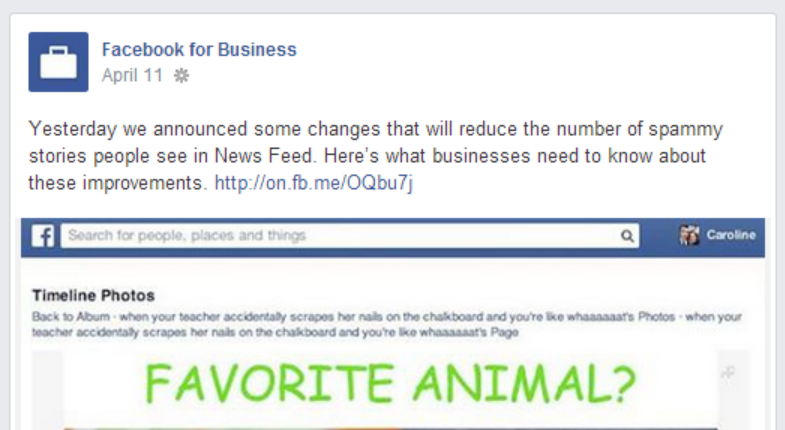
    You can read the official announcement about these changes here.

  • Facebook Business Page Dos and Don’ts

    Facebook Business Page Dos and Don’ts

    by Spence Rogers

    Having a Facebook business page is very important, but if you fail to do it properly, you could do more harm than good for your business. By following these dos and don’ts, you can ensure your business thrives on Facebook and creates a growing and engaged following. Here are the Facebook Business Page Dos and Don’ts to remember:

    Facebook Business Page Dos

    Do Create a Facebook Business Page

    First of all, do create a Facebook page for your business. You want to get your name out there, and you need a Facebook page to do that. Remember, 1.2 billion people are on Facebook, 800 million log on every week, and that is a lot of potential customers.

    Pay Attention to your Insights

    Facebook Insights provides you with the ability to see who is logging on, who is leaving and what posts people like. Pay attention to it.

    Optimize your Photos

    Image optimization is important because it draws people in. Optimize your photos to get noticed.  Facebook has different size requirements for photos and you should maximize your exposure by making your photos as large as possible within the limits.

    Personalize your Posts

    Let your followers know you are a real person.  Host Q&As.  Mention your name and your opinion.  Thank people and engage with them.  You need to talk to the fans of your page and be engaging. That will make them feel more important, and that will give you more repeat business.

    Claim your Vanity URL

    Once you hit 25 likes, you can have a Facebook vanity URL. Use it because Facebook.com/CompanyName is better than Facebook.com/profile.php?id=183831

    Post with Strategy in Mind

    Don’t just post without thinking. Have a strategy so that you can take advantage of holiday sales for customers, big events and more. You want to be engaged and dynamic, but plan ahead to make the most of it.

    Give your Followers Perks to Drive Traffic

    With your Facebook business page, do take advantage of providing your customers with deals and offers that send them to your website.

    Run Facebook Ads

    Big brands are doing it.  It is an easy way to get exposure to your exact target audience.  You should take advantage of Facebook ads for your Facebook business page. Facebook ads are cheap ($1 a day) and you can create ads that are fine tuned to only go to a certain sector of people. Facebook ads have a much more affordable cost per click or cost per million impressions than traditional banner advertisements.

    Write about Current Relevant Content

    Stay relevant with your posts, so do put up topical updates that deal with real world events at that time.  You can check trending issues on Google trends, Twitter trending, and even Facebook trending.

    Ask Questions

    Ask questions to get discussions started on your Facebook business page because, as has been said over and over, engagement is key on the page.

    Keep the Trolls

    Look at trolls as a blessing.  They help your engagement.  Do keep the trolls on there if you can, unless of course they get out of hand.  Usually a troll will then cause others to respond to him/her.  This then drives up your post engagement score in Facebook’s news feed algorithm.  They think they are hurting you, but really they are helping you.

    Do vary your Post Types

    Post photos, texts, questions, videos, and articles to vary your engagement.  Different people like different things.

    Do Post Often

    People would think that posting often hurts a brand.  However, the way Facebook’s algorithm is set up, it is better to post multiple times throughout the day because not everyone sees all your posts.  Posting hourly is ideal if you can manage it.  Also post on weekends, when content is lacking.  You will find that your overall engagement will be higher the more you post.

    Facebook Business Page Don’ts

    Don’t Auto Post

    Don’t run a bot that auto-posts random content from some website.  This often causes people to feel like a person is not there, and they will not engage with your post.  If you have to use a bot to streamline, make it clear you are a participant on the page by reply to a few comments in a timely manner.

    Don’t Post Off Topic

    It is important to target your audience.  So if you are a sports team, don’t post about shopping.  Or if you are a political page, don’t post about sports.  However, some topics are universal and can be posted by most pages – birthdays, events, weather, etc.  So you have to ask yourself if the person reading this will think it is relevant.

    Don’t Spam

    People are turned off by sales pitches and spammy posts.  If you have to sell something, do it on your website.  That is where people expect to be sold to.  So drive people to your website with GREAT content (an article, a video, or something similar).  People only want great content on Facebook.  So ask yourself if it is spammy before you post.  Spamming will drive down your engagement and hurt your view rate in the Facebook algorithm.

    Don’t Forget to Respond

    When a customer sends you a message or writes on your wall asking a question, don’t ignore them. Even if it is negative, respond to them and resolve the situation.

    Don’t Delete or Ban Users

    If people are trolling your website, don’t attack them or ban them.  Try to resolve the situation privately by sending them a message or by responding to them publicly.  Ask them to email you so you can resolve it.  This says to other people that you care and aren’t afraid of criticism.  If you ban the user or delete comments, it will create a negative effect.  Google the “Barbara Streisand effect”.  It is a phrase were when you delete or try to erase something people are passionate about, they just scream it louder and louder on other websites, forums, and reviews.  Sometimes people need to be banned (constant cursing, posting inappropriate content, etc), but only after all other steps have been exhausted.

    Don’t Post Multiple Posts at the same Time

    Don’t Post multiple items at once.  Many people only go on Facebook once and then share about 3-10 different articles.  Unfortunately, this hurts your engagement in Facebook’s algorithm.  If you only get on once a day or twice a day, it is better to share posts using Facebook’s schedule option.  Try to space your posts out about an hour apart.

    Don’t Post on the Hour

    When scheduling your posts, most people post on the hour.  This is because it is easier for people to schedule it on the hour (3 pm, 4 pm etc).  Instead, post at 3:15 or 3:45.  This will help you beat the competition by not having to compete with everyone else.

    Don’t Buy Likes Outside of Facebook’s Ad Software

    Facebook can tell when people are scheming and not using their ad software.  Most of the like schemes out there produce fake followers and low-quality followers.  If Facebook finds out that this is happening, they can shut down your page because it is against Facebook’s terms and conditions.  Instead, use Facebook’s organic/internal advertising platform.  Likes are cheap enough if you do it right.

  • Great Facebook SEO Tips You Will Want To Know

    Great Facebook SEO Tips You Will Want To Know

    by Spence Rogers

    We want to give you these Facebook SEO tips because Facebook has changed the marketing game completely. Today, companies are doing everything they can to have a presence on Facebook. Through Facebook, it is possibly to be highly engaged with consumers, offering them advice, tips, promotions and more. Some of the best brands out there know how to make Facebook work for them, providing free advertising to millions of people. With 1.2 billion people on Facebook, it should come as no surprise that for a company to market itself properly, it needs to get on the social media bandwagon. 

    Here are five essential Facebook SEO tips.

    1.  SEO your Facebook Page Title

    If you are looking at the key places for Facebook SEO, you need to know how your page is indexed. First, you have the SEO title, which is the title of your page on Facebook. You want to pick this title carefully because once you have over 100 followers, you cannot change it again.  Next, you have your meta description, which is your fan page name and the about section of the page.  That is the description that comes up under your title in the Google search results.

    2.  Keyword Optimize Your About Page

    When someone does a search within Facebook, it not only brings up personal profile, but company pages and groups. This is why it is important to have the right keywords in your About page on Facebook. That will draw more people in as the use of internal search on Facebook increases.

    3.  Keyword Optimize Your Posts

    When you post an external link from your website or blog to Facebook, or when you post a status update, you need to SEO (search engine optimize), especially the title tag line. So your article should have the key words in the description which will tell search engines that your Facebook page has relevant content to your website.  Google indexes Facebook page posts and comments.  To test this, type in “site:facebook.com inurl/posts/” followed by a keyword or something you are interested in.  You will be amazed at how many posts Google indexes.

    4.  Use the Facebook Vanity URL

    Take full advantage of a vanity URL from Facebook. This is an important part of Facebook SEO because once you hit 25 likes, you can create a unique URL for your page. The URL is an important aspect of any search in Facebook, so you want to get the right name and message across in only a couple words.  It is also searchable in Google, Bing, and other search engines and carries a significant amount of weight.

    5. Link to Your Facebook Page from other Sites

    Your website and your other social sites should link back to your company Facebook page.  This way you send “link juice” to your Facebook page.  So your Facebook page then gets more relevance in the search results.  Ideally you want your Facebook page to appear right under your actual website, to help you get more followers.